AI Tools for Supply Chain Management for Small Businesses: A Practical Guide
Small businesses often face the same supply-chain challenges as large companies but have fewer employees, smaller budgets, and less time to solve them. Overstocking ties up cash, stockouts lead to lost sales, supplier delays disrupt operations, and manual spreadsheets make it difficult to understand what is happening across the business.
AI tools for supply chain management for small businesses can help address these problems by analyzing sales data, forecasting demand, monitoring inventory, organizing supplier information, and automating repetitive tasks. The goal is not to replace every business process with artificial intelligence. It is to make purchasing, stocking, and delivery decisions more informed and efficient.
In this guide, you will learn how AI supply-chain tools work, which types of software to consider, how to choose a solution, and how to introduce AI without committing to an expensive system too early.
What Is AI in Supply Chain Management?
AI in supply chain management refers to software that uses techniques such as machine learning, predictive analytics, and language processing to help businesses plan and manage the movement of products, materials, and information.
Depending on the platform, these tools may analyze historical sales, current stock levels, supplier lead times, seasonal trends, purchase orders, and delivery information.
For example, a small online store may use AI to estimate which products will sell more during a seasonal promotion. An AI-enabled inventory system can use that forecast to recommend how much stock to order and when to reorder it.
AI does not eliminate uncertainty. Its recommendations are only as useful as the available data, the assumptions behind its models, and the way employees use its output.
Why Small Businesses Should Consider AI Supply-Chain Tools
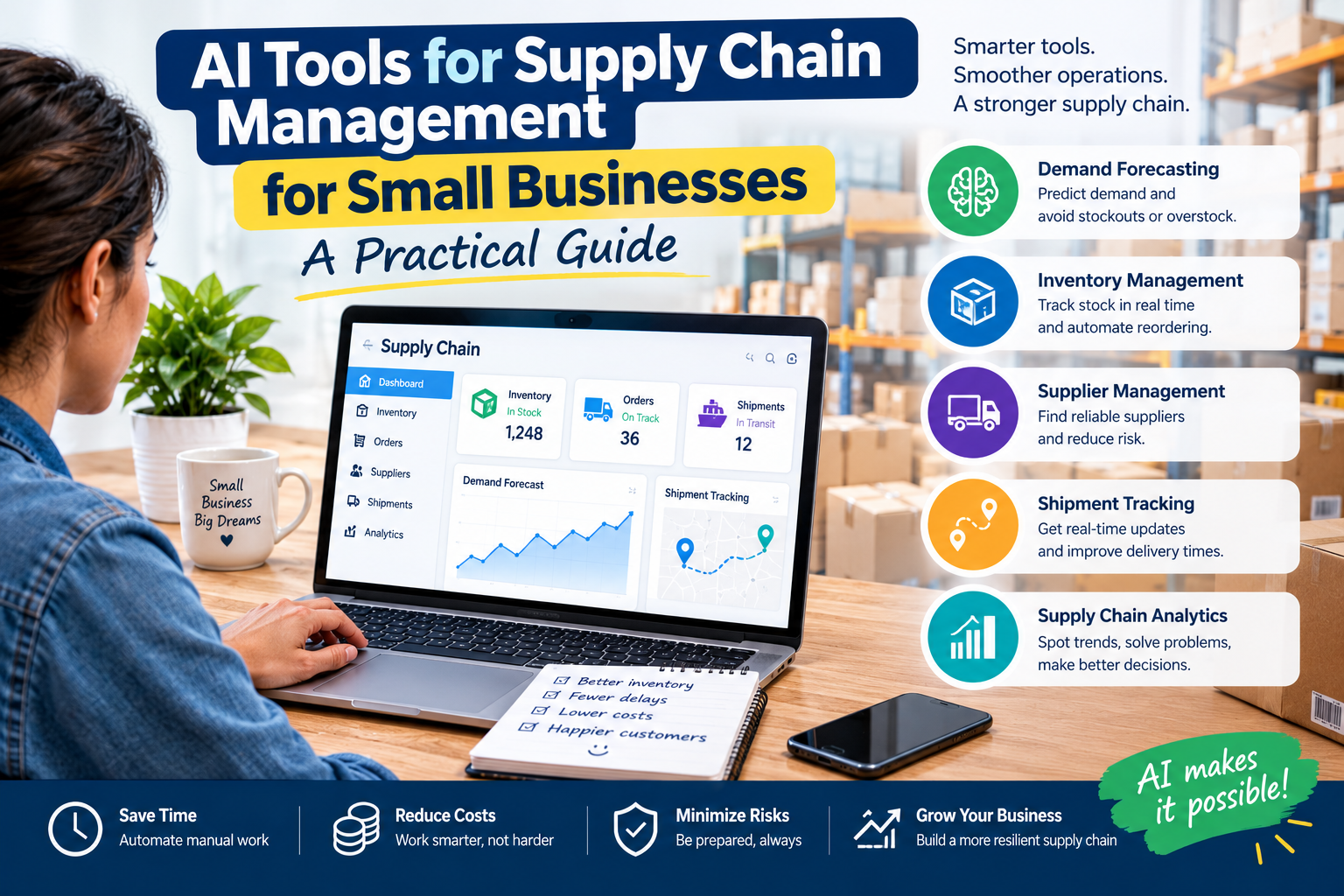
1. Improve demand forecasting
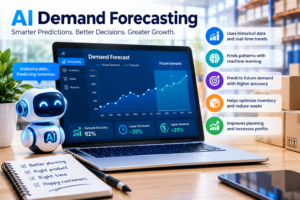
Demand forecasting estimates how much customers are likely to buy in the future. AI tools can analyze historical sales, trends, and seasonal patterns to help businesses prepare for changes in demand.
A retailer might discover that certain products sell faster during holidays or that a particular item has been losing popularity. These insights can inform purchasing decisions before excess stock or shortages become serious problems.
2. Reduce overstocking and stockouts
Buying too much inventory locks up money that could be used for marketing, payroll, or other business expenses. Buying too little can result in missed orders and disappointed customers.
AI-enabled inventory software can flag products at risk of running out, identify slow-moving stock, and recommend reorder quantities. Businesses should still review those recommendations against supplier minimum order quantities, available cash, and storage capacity.
3. Make supplier management more organized
Supplier delays and inconsistent delivery times can disrupt even a small operation. Supply-chain planning tools can help businesses track lead times, compare supplier performance, and identify products that depend heavily on a particular supplier.
AI can also assist with routine communication, such as drafting an email about a delayed order. Employees should verify the details before sending messages or making commitments.
4. Reduce repetitive administrative work
Some AI-enabled systems can extract information from invoices, purchase orders, and other documents. This can reduce manual data entry and help employees process orders more consistently.
Automation should include a review process for mismatched quantities, incorrect prices, duplicate orders, and unusual supplier details.
5. Make better decisions with business data
Instead of checking multiple spreadsheets, a business owner may use a connected system to view sales, stock levels, and purchasing information together. Some platforms also provide AI assistants that explain trends or summarize potential inventory problems.
This is particularly useful when the business owner is responsible for purchasing, customer service, and daily operations at the same time.
The Best Types of AI Tools for Small-Business Supply Chains
Not every small business needs a complete supply-chain management platform. Choose software according to the problem you need to solve first.
1. AI inventory management and forecasting tools
These tools help businesses estimate future demand, monitor stock, and plan replenishment. They are a strong starting point for retailers, wholesalers, and e-commerce sellers that regularly deal with overstocking or shortages.
Examples to investigate:
* Cin7: Its official website describes AI-powered inventory forecasting through ForesightAI, along with inventory insights and document-processing features. Explore the Cin7 AI features and inventory forecasting.
* Netstock: Its supply-chain planning platform focuses on demand forecasting, inventory optimization, replenishment, and supplier performance. Review its supply-chain planning solutions.
Before choosing either option, confirm its current pricing, minimum requirements, integrations, and suitability for your inventory size.
2. AI demand planning and sales forecasting tools
Demand planning tools help businesses estimate future sales and turn those estimates into purchasing or production plans.
They may be useful if your business experiences seasonal sales, operates across several sales channels, or needs to plan purchases weeks or months in advance.
When evaluating a forecasting tool, check whether it can account for promotions, changing prices, new products, and unusual sales periods. A forecast that relies only on past sales may be misleading when market conditions change.
3. AI procurement and purchase-order tools
Procurement software helps businesses organize purchasing, supplier information, approvals, and purchase orders.
Depending on the system, AI features may extract information from supplier documents, identify inconsistencies, or recommend purchasing actions based on stock and demand.
This category is worth exploring if employees spend hours entering supplier details manually or repeatedly checking what needs to be reordered.
4. AI logistics and delivery tools
Logistics software helps coordinate shipments, deliveries, carriers, and transportation activities. AI-enabled capabilities may support delivery estimates, route planning, shipment monitoring, and the identification of potential delays.
A small business that outsources delivery may not need a full logistics platform. It may be more practical to use the tracking and reporting features provided by its existing courier or fulfillment partner.
5. AI warehouse and order-management tools
Warehouse and order-management systems help track products as they arrive, move through storage, and leave for customers.
Depending on the software, features may include order prioritization, picking and packing workflows, inventory-location tracking, and automated updates across sales channels.
These systems become more valuable when a business manages many products, multiple warehouses, or orders from several platforms. A very small operation may be able to start with a simpler inventory application.
6. General-purpose AI assistants
Tools such as ChatGPT can help with supply-chain tasks that do not require direct access to live inventory systems. For example, a business owner can use an AI assistant to:
* Analyze a properly prepared and non-sensitive sales spreadsheet.
* Draft supplier follow-up emails.
* Create a stock-count checklist.
* Summarize a supplier comparison.
* Build a basic purchasing-planning template.
* Brainstorm questions to ask a logistics provider.
A general-purpose assistant is not automatically connected to your inventory, supplier accounts, or courier data. It should not be treated as a live supply-chain management system unless the required integrations are explicitly available and configured.
Avoid uploading confidential supplier contracts, customer information, bank details, or sensitive business data without checking the tool’s data-handling terms and your company’s policies.
AI Supply-Chain Tools Compared
The following comparison is a starting point for evaluating products, not a definitive ranking.
Tool or category Best suited for What to investigate
Cin7 Product-based businesses needing connected inventory workflows Forecasting, sales-channel integrations, purchase orders, total cost
Netstock Businesses that need more structured demand and inventory planning ERP compatibility, planning requirements, implementation effort
Procurement software Businesses with frequent purchasing and supplier-document work Approval workflows, supplier records, automation controls
Logistics software Businesses coordinating shipments or multiple delivery providers Carrier integrations, tracking, routing, reporting
General-purpose AI assistant Early-stage businesses handling analysis and documentation manually Data privacy, spreadsheet workflow, accuracy, manual review
Important: Features vary by plan, region, and integration. Confirm whether a feature is included in the exact subscription you are considering. Do not assume that a product advertised as AI-powered automatically provides every supply-chain capability.
How to Choose the Right AI Supply-Chain Software
1. Identify your biggest operational problem
Start by writing down the issue that causes the greatest cost or consumes the most time. Examples include frequent stockouts, excess inventory, delayed deliveries, manual purchase orders, or poor visibility across sales channels.
Avoid paying for a broad platform if your main need is a simple forecasting or stock-tracking solution.
2. Check your existing software
Your inventory tool, accounting system, e-commerce platform, and courier service may already provide useful data. Choose software that integrates with the systems you actually use.
If information must be entered manually into several disconnected systems, the time saved by AI may be smaller than expected.
3. Review pricing beyond the subscription fee
The total cost may include onboarding, implementation, data migration, integrations, employee training, transaction limits, and ongoing support.
Ask vendors for a complete estimate based on your business size and expected usage. If your budget is limited, start with a spreadsheet and a basic AI-assisted workflow before committing to a large platform.
4. Evaluate data requirements
AI forecasting needs relevant, reasonably accurate information. Check whether the tool can use your historical sales, stock records, supplier lead times, and seasonal patterns.
If your records are incomplete, improve them first. A sophisticated algorithm cannot reliably compensate for missing or inconsistent data.
5. Test the software before expanding
Use a demo, trial, or small pilot when available. Test it against a real business problem and compare its recommendations with your existing process.
For forecasting, measure how closely predictions match actual demand. For purchasing, track whether the recommendations help reduce shortages without creating excess inventory.
6. Keep people involved in important decisions
During the early stages, require employee approval before placing large orders, changing suppliers, or making expensive delivery decisions. This provides an opportunity to catch incorrect forecasts, unexpected promotions, and supplier disruptions.
How to Implement AI in Your Supply Chain in 30 Days
A small business does not need to automate everything at once. Use this practical rollout plan.
Week 1: Review your current process
Collect recent sales records, stock counts, supplier lead times, purchase orders, and delivery information. Identify where errors or delays occur most often.
Choose one clear goal, such as reducing stockouts for your best-selling products or spending less time preparing purchase orders.
Week 2: Select and prepare a tool
Compare two or three relevant options. Confirm compatibility, pricing, data requirements, and available support.
Clean up product names, SKU codes, stock quantities, and supplier records. If you are using a spreadsheet, make sure dates, quantities, and product identifiers are consistent.
Week 3: Run a limited pilot
Test the tool on a small group of products or one part of the purchasing process.
Compare its forecasts or recommendations with your current method. Review unusual results manually and record the time employees spend on the task.
Week 4: Measure results and decide
Compare performance against your starting point. Look at stockouts, excess inventory, forecast error, order-processing time, and any additional software costs.
Continue only if the tool provides useful, repeatable improvements. If results are weak, investigate data quality, settings, training, or whether a simpler tool would be a better fit.
Practical Example: An Online Store Using AI
Imagine a small online store selling phone accessories. It carries 50 products and frequently runs out of popular charging cables while holding too many cases for older phone models.
The owner begins by organizing six to twelve months of sales data, current stock, and supplier lead times. An inventory forecasting tool identifies which products have steady demand and which sell mainly during promotions.
The owner then tests suggested reorder quantities on ten frequently sold products. Each recommendation is reviewed against cash available, supplier minimums, and expected delivery dates before a purchase order is placed.
After a month, the owner compares stockouts, slow-moving inventory, purchasing time, and software costs with the previous month.
This is a useful way to test AI: start with a small set of products, measure actual results, and expand only if the process proves worthwhile. The example illustrates a method, not a guarantee of specific savings.
Common Mistakes to Avoid
Expecting perfect predictions
Customer demand can change suddenly because of competition, economic conditions, viral trends, or supplier disruptions. Use forecasts as decision support rather than guaranteed outcomes.
Automating messy data
Inconsistent product codes, duplicate records, and incorrect stock counts can lead to unreliable recommendations. Clean your data before relying on automation.
Buying too much software too early
A small company may not need advanced warehouse management, supplier-risk analysis, and predictive planning from day one. Begin with the capability that addresses your most expensive problem.
Ignoring integration costs
A tool that looks affordable may require paid connectors or substantial setup work. Calculate the total cost before signing a contract.
Sharing confidential data carelessly
Supply-chain records may contain sensitive commercial information. Review access permissions, data-retention policies, and vendor security practices before sharing data with an AI service.
Removing human review too soon
Incorrect purchase orders, inaccurate forecasts, or unverified supplier messages can create real financial losses. Set approval limits and review exceptions before enabling more automation.
How to Measure Whether AI Is Working
Before implementation, record your current performance. Then review the same metrics after the pilot.
Useful metrics include:
* Stockout rate: How often a product is unavailable when customers want to buy it.
* Inventory turnover: How frequently inventory is sold and replaced over a period.
* Forecast error: The difference between predicted and actual demand.
* Order-processing time: How long employees take to prepare and process an order.
* On-time delivery rate: The percentage of orders delivered by the promised date.
* Inventory holding cost: The cost of storing and financing stock.
* Total software cost: Subscription, setup, integration, and training expenses.
Measure several indicators together. Reducing inventory is not necessarily an improvement if it causes more stockouts or delayed orders. Similarly, faster order processing is less valuable if error rates rise.
Is AI Supply-Chain Management Affordable for Small Businesses?
It can be, but affordability depends on the tool and the complexity of your operations. Some businesses can begin with spreadsheets and a general-purpose AI assistant, while others need dedicated inventory software or a supply-chain planning platform.
The most economical option is not always the one with the lowest monthly fee. Consider how much time it saves, which errors it prevents, whether it integrates with existing systems, and what additional costs it creates.
A sensible starting point is to choose one recurring problem, test a low-commitment solution, and calculate the financial impact before expanding.
Frequently Asked Questions
What are the best AI tools for supply chain management for small businesses?
The right choice depends on your needs. Cin7 is worth investigating for AI-enabled inventory management and forecasting, while Netstock is relevant for demand and inventory planning. Businesses focused on delivery, procurement, or warehouse operations should compare tools designed for those specific workflows.
Can a small business use AI without a large budget?
Yes. A business can begin with organized spreadsheets and an AI assistant for analysis, planning, and documentation. Dedicated software may be necessary as product volumes, locations, and integration needs increase. Check trial conditions and total costs before committing.
How does AI help with inventory management?
AI-enabled inventory tools can analyze sales history and demand patterns, flag stock risks, and recommend replenishment quantities. The value depends on the quality of the records and how well the recommendations account for supplier lead times and business constraints.
Does AI replace supply-chain employees?
AI can automate some repetitive tasks and provide decision support, but people still need to manage supplier relationships, review exceptions, resolve unexpected disruptions, and make important purchasing decisions.
What data does AI need for supply-chain forecasting?
Useful inputs include historical sales, product identifiers, current inventory, supplier lead times, seasonal patterns, and information about promotions or unusual sales periods. The exact requirements depend on the tool.
How long does it take to implement AI supply-chain software?
A small pilot may be possible within a few weeks if the business has organized data and the tool is easy to configure. Complex integrations, data migration, or multi-location operations can take considerably longer.
Is AI supply-chain software suitable for an online store?
Yes. E-commerce businesses may use it to coordinate inventory across sales channels, forecast demand, plan replenishment, and monitor order fulfillment. Check whether the software supports the specific platforms and marketplaces you use.
Final Thoughts
AI tools for supply chain management can help small businesses make better inventory, purchasing, and logistics decisions without immediately building a complex enterprise system.
The best approach is to start with a measurable problem, prepare reliable data, choose a tool that fits existing workflows, and test the results before expanding. Forecasting, inventory management, procurement, and logistics tools each serve different purposes, so the right solution is the one that addresses your most important operational challenge at a sustainable cost.
Start small, measure the results, and let evidence—not marketing claims—guide your next investment.