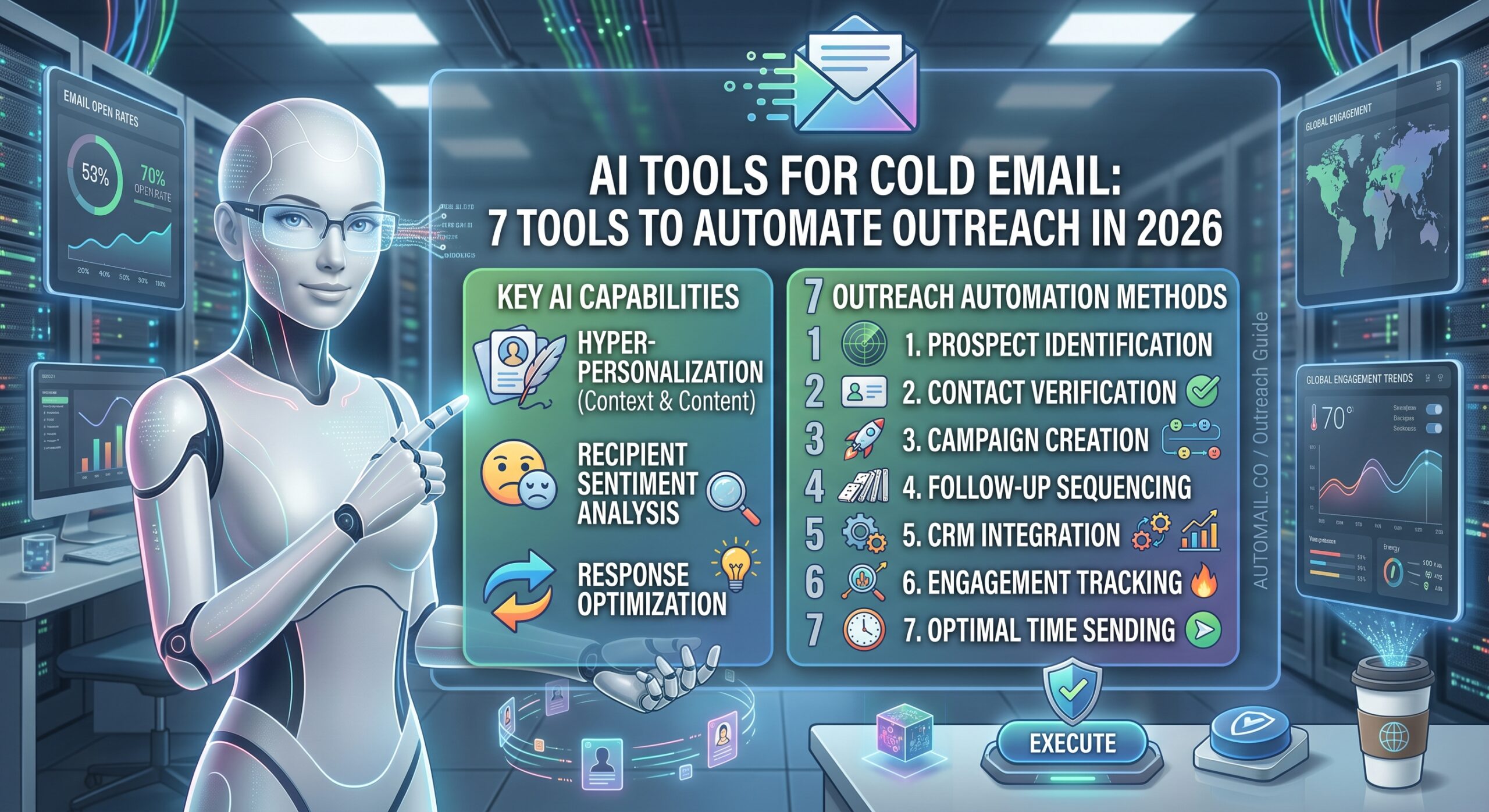
AI Tools for Cold Email: 7 Tools to Automate Outreach in 2026
Cold email is still widely used by sales teams, agencies, consultants, recruiters, founders, and B2B companies to start conversations with potential customers.
The problem is that effective cold outreach involves much more than writing an email.
You need to:
- Find the right prospects
- Identify the right decision-makers
- Verify contact information
- Research companies and individuals
- Find relevant reasons to contact them
- Personalize messages
- Write follow-ups
- Build sequences
- Monitor replies and bounces
- Protect email deliverability
- Keep outreach compliant with applicable laws and platform requirements
This is where AI tools for cold email can make a significant difference.
Modern AI-powered sales platforms can research prospects, generate personalized email copy, create sequences, enrich contact records, and assist with campaign management. For example, Apollo’s current AI features can research prospects and generate personalized emails and sequence content, while Clay focuses heavily on prospect discovery, enrichment, research, and personalization.
But AI shouldn’t mean sending thousands of generic messages automatically.
The most useful approach is to use AI for the repetitive research and writing work while keeping humans responsible for accuracy, relevance, targeting, and final approval.
This guide explains how AI cold-email tools work, what features to look for, seven tools worth evaluating, and how to build a practical AI-powered cold-email workflow.
What Are AI Tools for Cold Email?
AI cold-email tools are sales and outreach platforms that use artificial intelligence to assist with one or more parts of the cold-email process.
Depending on the platform, AI may help with:
- Prospect discovery
- Lead qualification
- Company research
- Contact enrichment
- Email personalization
- Subject-line generation
- Email writing
- Follow-up creation
- Sequence building
- Lead scoring
- Campaign analysis
- Reply analysis
- Outreach automation
The important distinction is that not every AI cold-email tool does the same job.
Some are primarily AI writing assistants.
Others combine prospect databases with AI research.
Some focus on personalization and enrichment.
Others concentrate on sending infrastructure, sequences, warmup, and campaign management.
For example, Apollo’s AI can generate full emails, personalized openers, subject lines, and sequence emails using context and AI research.
Clay’s current cold-email workflow focuses more heavily on finding and enriching prospects and can push verified prospects into sending platforms such as Smartlead and Instantly.
That means choosing an AI cold-email tool starts with identifying which part of your workflow is actually slowing you down.
What Can AI Do for Cold Email?
AI can potentially reduce the amount of manual work involved in several stages of outbound sales.
1. Find Prospects
AI can help identify companies and contacts that match an ideal customer profile.
You might define criteria such as:
- Industry
- Company size
- Location
- Job title
- Technology used
- Business model
- Growth signals
- Revenue range
- Other qualification criteria
Apollo, for example, currently provides AI-assisted prospect discovery, qualification, research, and summarization.
Clay also provides AI-assisted prospect discovery and enrichment, including workflows that search for contacts matching an ICP and use multiple providers to find verified work emails.
2. Research Prospects
Research is one of the more valuable uses of AI in cold outreach.
Instead of manually opening dozens of company websites, LinkedIn profiles, news pages, and other sources, AI can help organize available information into useful prospect insights.
For example, AI research could identify:
- Recent company announcements
- Hiring activity
- Technology changes
- Company priorities
- Relevant products
- Potential business problems
- Job responsibilities
- Industry context
Apollo’s AI Research feature is designed to uncover information about people and companies for qualification, targeting, and personalized outreach.
The important word here is research.
AI-generated research should be checked before it becomes part of a sales email.
3. Personalize Cold Emails
Traditional personalization often means inserting:
Hi Sarah,
followed by a generic template.
That’s not particularly meaningful personalization.
AI can go further by using prospect and company information to create an opening or message that relates to the recipient’s situation.
For example:
Basic personalization:
Hi Sarah, I saw you work at ABC Company.
More useful personalization:
I noticed ABC recently expanded its sales team across three regions. That usually creates a challenge around keeping lead follow-up consistent.
The second version gives the recipient a reason why the sender is contacting them.
Apollo’s current AI research can be inserted into email and sequence messaging to create personalized outreach.
lemlist also offers AI variables that can generate personalized information for individual leads using data and prompts.
4. Write the First Draft
AI can dramatically reduce the time required to create an initial cold-email draft.
Instead of starting with a blank screen, you can give the AI:
- Target audience
- Company information
- Customer problem
- Product or service
- Value proposition
- Desired tone
- Call to action
- Relevant research
The AI can then create a starting draft.
Apollo’s Writing Assistant can generate full emails, personalized openers, PS lines, and subject lines.
However, you shouldn’t treat the generated message as automatically ready to send.
Apollo itself recommends reviewing AI-generated messaging for accuracy, relevance, and voice before sending.
That principle applies regardless of which AI platform you use.
5. Create Follow-Up Sequences
A cold-email campaign rarely consists of one message.
A typical sequence might include:
- Initial email
- Short follow-up
- Value-based follow-up
- New angle
- Final check-in
AI can help create different versions while keeping the overall message consistent.
Apollo’s AI Assistant can create tailored outbound sequences and can combine email with other outreach steps such as calls and LinkedIn touches.
Smartlead’s current AI capabilities also extend beyond simple email writing into campaign management and automation.
6. Analyze and Improve Campaigns
AI can also be used after emails are sent.
Depending on the platform, AI may help analyze:
- Replies
- Engagement
- Bounce rates
- Lead quality
- Sequence performance
- Message variations
- Prospect behavior
This creates an important feedback loop:
Research → personalization → email → reply → analysis → improvement
Instead of treating AI as a one-time email generator, you can use it throughout the outreach workflow.
7 AI Tools for Cold Email to Consider
There isn’t one tool that performs every cold-email task equally.
The following platforms represent different approaches to AI-powered outbound.
1. Apollo
Best suited to: Prospecting + AI research + email outreach in one platform
Apollo combines a B2B prospect database with sales engagement features and AI capabilities.
Its AI Writing Assistant can create:
- Full emails
- Personalized openers
- PS lines
- Subject lines
- Sequence emails
Apollo’s AI Research tools can also generate prospect and company insights that can be used in outreach.
Apollo’s AI workflow
A typical workflow can look like:
Find prospects → Research prospects → Generate personalization → Write email → Build sequence → Review → Send
Apollo also provides an AI Assistant that can help build outbound sequences based on a user’s goals and target audience.
Potential advantage
You can keep prospecting, research, personalization, and email creation within one ecosystem.
Potential limitation
If your primary requirement is highly specialized sending infrastructure or a separate enrichment workflow, you may want to compare Apollo with dedicated outbound platforms.
2. Clay
Best suited to: Prospect research, enrichment, personalization, and outbound data workflows
Clay approaches cold email from a data and enrichment perspective.
Its current AI-powered prospecting workflow can:
- Identify companies matching your target market.
- Find relevant contacts.
- Enrich prospect records.
- Find verified work emails through multiple providers.
- Push prospects into an email sequencing platform.
Clay describes its prospecting workflow as using a network of more than 150 providers for enrichment and verification.
Potential advantage
Clay can be useful when the biggest problem is building a high-quality, researched prospect list rather than simply writing emails.
Potential limitation
You may still need a dedicated sending/sequencing platform depending on your workflow.
Clay specifically describes sending enriched prospects to platforms such as Smartlead and Instantly.
3. Smartlead
Best suited to: Automated outbound campaigns and AI-assisted campaign management
Smartlead combines cold-email sending infrastructure with AI features.
Its current SmartAssistant is designed to work with campaign data, mailbox health, DNS, warmup, bounce rates, and sending history.
Smartlead also provides AI-assisted email creation through SmartAI.
Its campaign system supports multi-step sequences and deliverability-related sending controls.
Potential advantage
It is oriented toward the operational side of outbound:
- Campaigns
- Mailboxes
- Sequences
- Sending
- Deliverability
- Automation
- AI assistance
Potential limitation
If your biggest requirement is prospect research and contact discovery, you may want a separate data/enrichment platform or an integrated prospecting solution.
4. lemlist
Best suited to: Personalized and multichannel outreach
lemlist has built AI features around cold-email personalization and outbound campaigns.
Its AI tools can help generate cold-email campaigns, while AI Variables can create personalized information for individual leads based on prospect data and prompts.
lemlist also provides AI-assisted email writing and content optimization features.
Potential advantage
Its approach is particularly relevant if personalization is central to your outreach strategy.
Potential limitation
If you’re primarily looking for a prospect database or large-scale data enrichment, you may need additional tools.
5. Instantly
Best suited to: Cold-email sending and campaign infrastructure
Instantly is frequently included in current cold-email software comparisons alongside platforms such as Clay, Apollo, Smartlead, lemlist, and others. Current 2026 comparisons describe Instantly as focused on high-volume sending and warmup.
For businesses that already have their prospect data and mainly need infrastructure for sending sequences, it can be worth evaluating alongside other dedicated outbound platforms.
Potential advantage
A dedicated sending platform can make more sense than paying for an all-in-one prospecting suite if you already have reliable lead data.
Potential limitation
If you still need to discover, enrich, and research prospects, you may need a separate data layer.
6. Saleshandy
Best suited to: Email outreach and campaign management for smaller teams and agencies
Saleshandy is another platform appearing in current cold-email software comparisons and provides email outreach and automation features.
Its relevance depends on whether your priority is:
- Email sequences
- Outreach automation
- Campaign management
- Personalization
- Agency workflows
When evaluating it, compare its AI capabilities separately from its basic email-sending functions. A tool can have an “AI” label without AI being central to the workflow.
7. Snov.io
Best suited to: Prospect discovery, verification, and outreach workflows
Snov.io is another platform included in current 2026 cold-email tool comparisons, with functionality spanning lead discovery, verification, and email outreach.
This type of all-in-one platform can be useful if you don’t want to assemble a separate stack for:
Lead finding + verification + outreach
However, compare the depth of its AI research and personalization features with dedicated AI prospecting platforms before choosing it specifically for AI-driven workflows.
AI Cold Email Tools Comparison
| Tool | Main focus | AI use | Useful when |
|---|---|---|---|
| Apollo | Prospecting + outreach | Research, personalization, writing, sequences | You want prospecting and outreach together |
| Clay | Data + enrichment | Research, enrichment, personalization | Data quality and prospect research are priorities |
| Smartlead | Sending + campaign management | Campaign assistance, email generation, automation | You need outbound infrastructure and automation |
| lemlist | Personalized outreach | AI writing and AI variables | Personalization is central to your workflow |
| Instantly | Sending infrastructure | AI-related outreach capabilities | You already have prospect data and need sending |
| Saleshandy | Outreach automation | AI-assisted email workflows | You want an outreach platform for campaigns |
| Snov.io | Lead generation + outreach | AI-assisted prospecting/outreach features | You want multiple functions in one platform |
The table describes the primary workflow emphasis rather than declaring an overall winner. Features change frequently, so verify current plans and capabilities before purchasing.
What Features Should You Look for in an AI Cold Email Tool?
The right feature set depends on your workflow.
Here are the most important areas to evaluate.
1. AI Prospect Research
Look for the ability to research:
- Companies
- Job titles
- Industries
- Business signals
- Relevant company information
- Buying or intent signals
Research quality can be more valuable than simply generating fluent email copy.
2. Contact Verification
Bad contact data can hurt an outbound campaign.
Look for tools that help identify:
- Valid work emails
- Invalid addresses
- Catch-all domains
- Role-based addresses
- Duplicate contacts
Clay’s current prospecting workflow, for example, specifically describes flagging catch-alls and role inboxes during its enrichment process.
3. AI Personalization
Look beyond:
“Hi {{FirstName}}”
Useful personalization should answer:
Why is this particular person receiving this email?
AI should ideally use relevant information about the prospect rather than merely insert superficial variables.
Apollo’s documentation similarly emphasizes that personalization should explain why the message matters to the recipient and recommends using verifiable details.
4. Sequence Generation
If you want automation, check whether the platform can create:
- First-touch emails
- Follow-ups
- Breakup emails
- Different messaging angles
- Conditional steps
- Multi-channel sequences
A single AI-generated email is much less useful than a complete workflow if your goal is outbound automation.
5. Deliverability Features
This is one of the most important areas.
AI-generated copy doesn’t matter if your messages don’t reach the inbox.
Google’s sender guidelines recommend email authentication practices including SPF and DKIM alignment and provide guidance intended to reduce spam placement and sending limitations.
Therefore, when comparing tools, examine:
- SPF support
- DKIM support
- DMARC support
- Bounce management
- Sending limits
- Domain/mailbox management
- Reputation monitoring
- Warmup features
- Unsubscribe handling
- Spam complaint monitoring
Don’t evaluate an AI cold-email tool purely by its writing quality.
6. Human Review Controls
AI should make your workflow faster, not remove judgment from it.
A good platform should make it easy to review:
- Generated claims
- Personalization
- Names
- Company information
- URLs
- Pricing claims
- Product claims
- Tone
- Calls to action
Apollo explicitly recommends proofreading and reviewing AI-generated emails before sending.
This is especially important because AI can generate plausible-sounding information that isn’t actually true.
7. Analytics
Look for reporting around:
- Delivery
- Bounces
- Replies
- Positive replies
- Meetings
- Sequence performance
- Unsubscribes
- Spam complaints
Don’t focus only on open rates.
A campaign can generate plenty of opens without producing meaningful conversations.
For B2B sales, useful downstream metrics may include:
Qualified replies → conversations → meetings → opportunities → customers
AI Cold Email Tools vs. Traditional Email Tools
The major difference is the amount of work the software can assist with.
Traditional cold-email workflow
You might manually:
- Find prospects.
- Research them.
- Write emails.
- Create follow-ups.
- Add contacts.
- Build sequences.
- Review campaign data.
- Adjust messaging.
AI-assisted workflow
You can potentially:
- Define your ICP.
- Generate a prospect list.
- Enrich and research prospects.
- Generate personalization.
- Create email drafts.
- Build sequences.
- Review AI output.
- Launch campaigns.
- Analyze results.
- Improve the next campaign.
The human still needs to supervise the process.
How to Use AI for Cold Email Without Making Emails Sound Robotic
One of the biggest mistakes is asking AI to:
“Write a professional cold email to this prospect.”
The result may be grammatically perfect but completely generic.
Instead, give AI more context.
Use this prompt structure
You are helping me write a B2B cold email.

Target:
[Job title]

Company:
[Company]

Industry:
[Industry]

Our product:
[Product/service]

Problem we solve:
[Specific problem]

Verified prospect information:
[Research]

Relevant reason for contacting them:
[Trigger]

Goal:
[Desired conversation]

Tone:
[Direct, conversational, professional]

Rules:
- Keep it concise.
- Don't invent facts.
- Don't exaggerate.
- Don't use generic compliments.
- Focus on one relevant problem.
- Use one clear CTA.
- Do not make unsupported claims.
This gives the AI enough context to create a more relevant draft.
Don’t Ask AI to Invent Personalization
This is extremely important.
Bad AI personalization might say:
“I was impressed by your company’s innovative growth journey.”
What growth journey?
Where did the information come from?
Was it actually verified?
If AI doesn’t have evidence, it should not invent a compliment or company fact.
Apollo’s current cold-email guidance specifically recommends using details you can verify and reviewing generated messaging before sending.
A simple rule is:
No source → no claim.
How to Build an AI Cold Email Workflow
A practical workflow can be divided into seven stages.
Stage 1: Define Your ICP
Start with:
- Industry
- Company size
- Geography
- Job title
- Business model
- Technology
- Problem
- Buying situation
Don’t let AI choose your entire target market without human validation.
Stage 2: Build Your Prospect List
Use a prospecting platform or database to find companies and contacts matching your ICP.
Clay and Apollo are examples of platforms with AI-assisted prospect discovery capabilities.
Stage 3: Verify the Data
Before sending:
- Verify emails.
- Remove duplicates.
- Remove invalid addresses.
- Check company information.
- Review job titles.
- Remove irrelevant prospects.
Bad data can undermine even excellent copy.
Stage 4: Research Prospects
Use AI to identify useful information such as:
- Company developments
- Hiring activity
- Product changes
- Relevant business problems
- Potential triggers
Don’t turn every piece of research into an email.
Only use information that gives you a legitimate reason to contact the person.
Stage 5: Generate the Email
Ask AI for a short first draft.
A simple structure is:
Context → Problem → Value → Question
For example:
Hi Alex,
I noticed your team is expanding its outbound sales operation. Teams at that stage often struggle to keep lead research and follow-up consistent.
We help B2B teams automate that research without replacing their existing CRM.
Worth comparing how you’re handling it today?
The exact structure should change depending on the audience and offer.
Stage 6: Human Review
Before sending, check:
Accuracy
Are all facts correct?
Relevance
Does the message explain why this person should care?
Personalization
Is the personalization meaningful or superficial?
Tone
Does it sound like something a real salesperson would write?
CTA
Is there one clear and easy next step?
Compliance
Does the campaign follow applicable laws and platform requirements?
Apollo likewise recommends checking accuracy, relevance, voice, and the next step before sending AI-generated outreach.
Stage 7: Measure and Improve
Don’t immediately rewrite everything after one campaign.
Look at:
- Bounce rate
- Reply rate
- Positive reply rate
- Meetings booked
- Qualified opportunities
- Unsubscribe rate
- Spam complaints
Then identify where the problem actually exists.
For example:
High bounce rate
Investigate your data quality and verification.
Good delivery but few replies
Investigate targeting, offer, relevance, and copy.
Replies but few meetings
Investigate your CTA, qualification, and offer.
Good replies but poor sales conversion
Investigate what happens after the first conversation.
This prevents AI from becoming an excuse for changing everything at once.
Cold Email Deliverability: The Part AI Can’t Fix by Itself
One of the biggest misconceptions about AI cold email is that better AI-generated copy automatically means better deliverability.
It doesn’t.
Email deliverability depends on many factors, including sender reputation, authentication, sending practices, recipient engagement, and message behavior.
Google’s sender guidelines recommend authentication measures including SPF and DKIM alignment and provide requirements and recommendations for senders targeting Gmail accounts.
Before scaling an outbound campaign, pay attention to:
- SPF
- DKIM
- DMARC
- Sending volume
- Bounce rates
- Spam complaints
- List quality
- Domain reputation
- Mailbox reputation
- Unsubscribe handling
AI can help automate parts of this workflow, but it cannot make poor sending practices safe.
Don’t Confuse Personalization With Spam at Scale
AI makes it possible to personalize messages much faster.
That is useful.
But it also makes it easier to generate huge quantities of low-quality outreach.
For example:
Bad automation:
Hi John, I noticed your amazing company is growing. We help companies like yours improve efficiency. Would you like a quick call?
Now generate that 50,000 times.
That’s automation without relevance.
A better approach is:
Specific ICP + verified data + relevant trigger + useful offer + concise message
AI should help you achieve that combination rather than simply increase the number of emails sent.
Cold Email Compliance Matters
Cold email isn’t just a software problem.
Depending on where you and your recipients are located, different privacy, marketing, and electronic communications rules may apply.
For example, in the United States, the FTC says the CAN-SPAM Act applies to commercial email, including business-to-business email. It requires accurate header information, non-deceptive subject lines, a valid physical postal address, and a clear method for recipients to opt out of future commercial messages.
The FTC also states that opt-out requests must be honored, and the law does not create a general B2B exemption.
Therefore, before launching a campaign, check the rules that apply to:
- Your business location
- Your recipients’ locations
- Your industry
- The type of email you’re sending
- Your data-collection methods
Don’t assume that because a platform allows a workflow, the workflow automatically satisfies every legal requirement.
AI Cold Email Mistakes to Avoid
Mistake 1: Sending AI-generated emails without reviewing them
AI can make incorrect assumptions.
Always review important claims.
Mistake 2: Using fake personalization
Mentioning someone’s company name isn’t enough.
The personalization should have a purpose.
Mistake 3: Buying questionable email lists
Poor-quality lists can create:
- Bounces
- Spam complaints
- Poor targeting
- Reputation problems
The FTC notes that purchased lists can carry risks, including addresses that have previously opted out and lists assembled through problematic methods.
Mistake 4: Scaling before testing
Don’t start with an enormous campaign.
First test:
- Audience
- Offer
- Subject line
- Message
- CTA
- Data quality
Then scale what you have evidence for.
Mistake 5: Writing long AI emails
AI tends to produce too much text when you don’t give it constraints.
For cold outreach, prioritize:
Relevant → concise → specific → easy to answer
Current cold-email guidance from lemlist similarly emphasizes short, focused messages, relevant opening lines, and simple calls to action.
Mistake 6: Optimizing for opens instead of business outcomes
An open isn’t a customer.
A reply isn’t necessarily a qualified opportunity.
Track the entire funnel.
Mistake 7: Using AI to fabricate urgency
Avoid messages that falsely imply:
- A deadline
- A previous conversation
- A referral
- A mutual connection
- An event
- A customer relationship
If it didn’t happen, don’t let AI imply that it did.
How Much of Cold Email Should AI Automate?
A useful way to think about automation is by risk.
Low-risk tasks
AI can usually assist heavily with:
- Brainstorming subject lines
- Rewriting copy
- Summarizing research
- Formatting information
- Creating draft sequences
- Generating alternative CTAs
Medium-risk tasks
Use review:
- Prospect research
- Personalization
- Lead qualification
- Email generation
- Sequence creation
High-risk tasks
Keep strong human control:
- Sending large campaigns
- Making factual claims
- Legal/compliance decisions
- Contacting sensitive audiences
- Changing sending infrastructure
- Making decisions based on uncertain data
The more consequential the action, the more important human review becomes.
AI Cold Email Stack for a Small Business
A small business doesn’t necessarily need seven different tools.
A simple stack might be:
Option A: All-in-one
Use a platform that combines:
Prospecting + research + email + sequences
Apollo is an example of this approach, with AI prospecting, research, email writing, and sequence capabilities.
Option B: Data + Sending
Use:
Clay → Smartlead/Instantly
Clay can identify and enrich prospects, then push them into sending platforms.
Option C: Personalization-first
Use a prospect/data source plus a personalization-oriented platform such as lemlist.
This approach can make sense when the quality of individual messages matters more than simply maximizing send volume.
AI Cold Email Stack for an Agency
Agencies often need:
- Multiple clients
- Multiple campaigns
- Multiple domains
- Multiple inboxes
- Prospect research
- Personalization
- Reporting
- Repeatable workflows
A possible architecture is:
Data → Enrichment → AI research → Personalization → Sending → Reporting
The important thing is to avoid putting every responsibility into one tool simply because it has an AI label.
Instead, evaluate where each platform is strongest.
AI Cold Email Stack for a Sales Team
A larger sales team may benefit from a workflow like:
CRM → Prospecting → AI research → Qualification → Personalization → Sequence → Human reply handling
Apollo, for example, provides AI research that can be reused in messaging and sequences, while its AI Assistant can help create outbound sequences.
For more specialized workflows, teams may combine data platforms with dedicated sending infrastructure.
How to Choose the Right AI Cold Email Tool
Instead of asking:
“What is the best AI cold email tool?”
ask:
“What part of my cold-email process do I need to improve?”
Then match the tool to that problem.
| Your main problem | Look for |
|---|---|
| Finding prospects | AI prospecting |
| Poor lead data | Enrichment + verification |
| Research takes too long | AI research |
| Emails are generic | AI personalization |
| Writing takes too long | AI writing assistant |
| Follow-ups are inconsistent | Sequence automation |
| Campaign management is difficult | Sales engagement platform |
| Deliverability is a concern | Sending infrastructure + authentication support |
| Need an all-in-one workflow | Prospecting + research + sequencing platform |
This approach is more useful than choosing a tool solely because its homepage says “AI-powered.”
A Practical AI Cold Email Template
Here’s a simple structure you can adapt:
Subject: Quick question about [specific issue]
Hi [First Name],
I noticed [verified observation about company/person].
Teams dealing with [specific situation] often run into [specific problem].
We help [type of company] with [specific outcome].
How are you currently handling [problem]?
Best,
[Name]
Why this structure works as a starting point
It gives AI clear boundaries:
- One observation
- One problem
- One value proposition
- One question
You can then ask your AI tool to create variations while keeping the underlying facts unchanged.
AI Prompt for Personalizing Cold Emails at Scale
You can also use a prompt like this:
Personalize this cold email using only the verified prospect information provided.

Rules:
- Do not invent facts.
- Do not mention unverified achievements.
- Do not use generic compliments.
- Keep the email under 100 words.
- Mention one relevant observation.
- Connect that observation to one business problem.
- Keep the CTA simple.
- Preserve the original value proposition.

Prospect information:
[Insert verified data]

Original email:
[Insert email]
This is safer than simply asking AI to “make this email highly personalized.”
Frequently Asked Questions
What are AI tools for cold email?
AI cold-email tools use artificial intelligence to assist with prospect research, lead qualification, personalization, email writing, follow-ups, sequences, campaign management, or analysis. Different platforms focus on different parts of this workflow.
Can AI write cold emails automatically?
Yes. Platforms such as Apollo and lemlist provide AI-assisted cold-email generation. Apollo can generate complete emails, openers, subject lines, and sequence content, while lemlist provides AI cold-email generation and AI personalization features.
Can AI personalize cold emails?
Yes. AI can use prospect and company information to generate personalized messaging. Apollo’s AI Research can be used to generate information for personalized outreach, while lemlist provides AI Variables for personalized content.
Can AI automate the entire cold-email process?
Some platforms now automate substantial portions of the process, including prospecting, research, personalization, sequencing, and campaign management. However, human review remains important for accuracy, relevance, compliance, and quality.
What is the best AI tool for cold email?
There isn’t one universally appropriate tool because platforms emphasize different parts of the workflow. Apollo emphasizes prospecting plus AI research and outreach, Clay emphasizes enrichment and prospect research, Smartlead emphasizes outbound infrastructure and campaign automation, and lemlist emphasizes personalized outreach.
Can AI cold email tools improve deliverability?
They can provide features intended to support deliverability, but AI-generated copy alone does not guarantee inbox placement. Gmail’s sender guidelines emphasize authentication and responsible sending practices, including SPF and DKIM alignment.
Should I use AI to write every cold email?
AI can create useful drafts and personalization, but important messages should be reviewed before sending. Apollo specifically recommends proofreading AI-generated messaging for accuracy, relevance, and voice.
Is cold email legal?
The answer depends on the jurisdiction, recipient, message type, and other circumstances. In the United States, the FTC states that CAN-SPAM applies to commercial email, including B2B email, and includes requirements for accurate headers, non-deceptive subjects, identification, physical address information, and opt-out mechanisms.
Final Takeaway
AI tools for cold email can automate much more than writing a subject line.
Modern platforms can help with:
- Prospect discovery
- Lead qualification
- Company research
- Contact enrichment
- Personalization
- Email writing
- Follow-up sequences
- Campaign automation
- Performance analysis
But the most important lesson is that AI should improve the quality and efficiency of your outreach, not simply increase the number of emails you send.
If your main challenge is finding and researching prospects, a data-oriented platform such as Clay may fit your workflow. If you want prospecting, AI research, and outreach in one environment, Apollo provides those capabilities. If campaign infrastructure and automation are your priority, Smartlead is designed around that workflow. If highly personalized outreach is the central requirement, lemlist is another platform to evaluate.
The strongest AI cold-email workflow generally looks like:
Define your ICP → find prospects → verify data → research → personalize → generate a concise draft → review → send responsibly → measure → improve.
Don’t allow AI to invent facts, fake relationships, or create meaningless personalization. And don’t assume an AI-generated email is automatically compliant or deliverable.
Use AI for the repetitive work while keeping humans responsible for targeting, accuracy, judgment, compliance, and the quality of the conversation.
That is what turns AI from an email generator into a practical cold-outreach system.