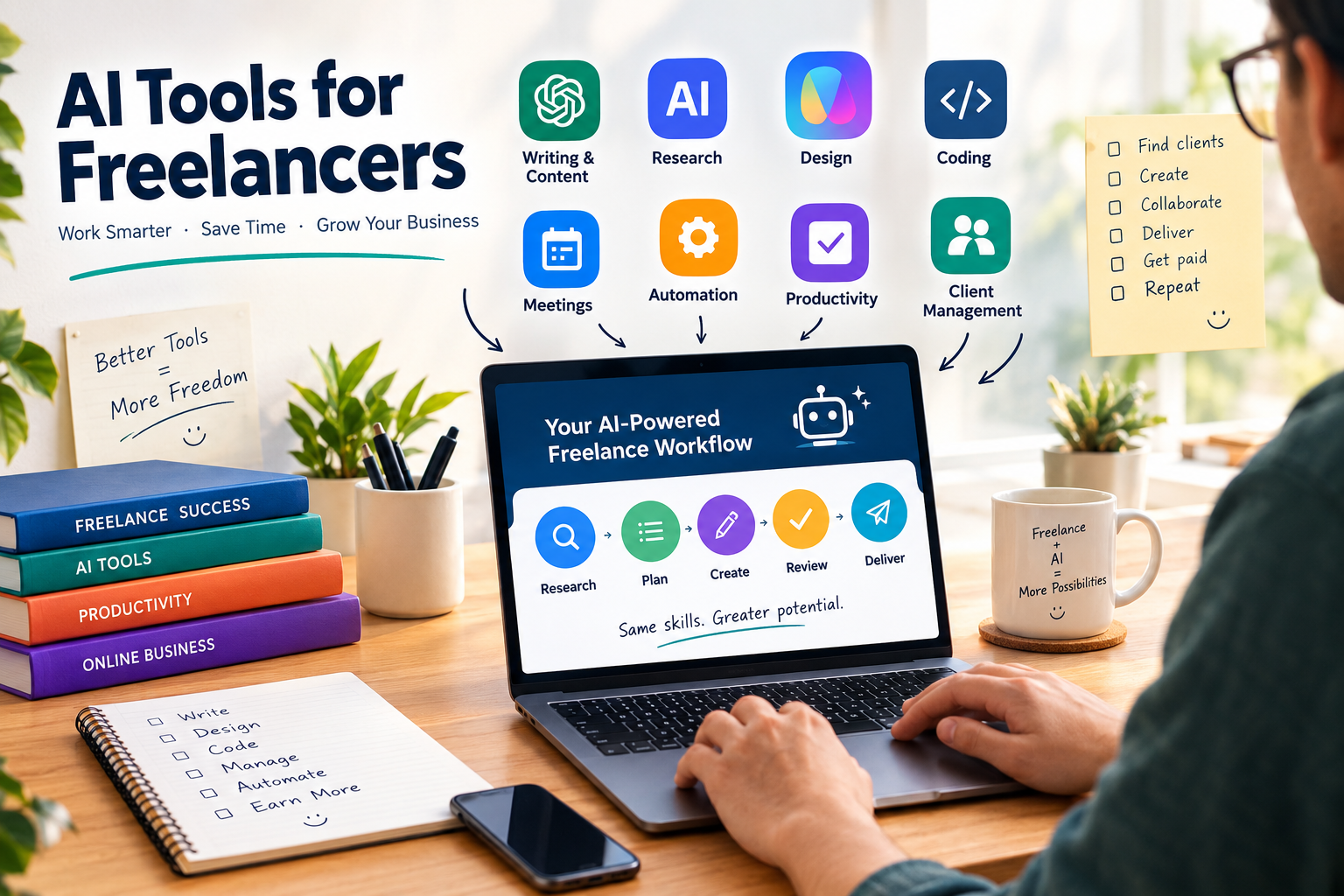
AI Tools for Freelancers: 15 Best Tools to Work Smarter in 2026
Freelancing gives you freedom, but it also means you are responsible for almost everything.
You have to find clients, write proposals, answer emails, attend meetings, research projects, complete client work, create invoices, market your services, manage deadlines, and follow up on unpaid work.
That is where AI tools for freelancers can make a major difference.
The right AI software can help you reduce repetitive work, speed up research, improve communication, create content, automate administrative tasks, and spend more time on the work clients actually pay you for.
But there is an important distinction: AI should not replace your expertise. It should multiply it.
Current freelancer-focused tool research consistently recommends building a relatively small stack around your actual workflow rather than collecting dozens of AI subscriptions.
In this guide, we’ll look at the 15 best AI tools for freelancers in 2026, what each tool is best for, which types of freelancers should use them, and how to build an affordable AI workflow.
What Are AI Tools for Freelancers?
AI tools for freelancers are software applications that use artificial intelligence to help independent professionals perform tasks faster or more efficiently.
Depending on your profession, AI can assist with:
- Writing and editing
- Research
- Brainstorming
- Client proposals
- Email communication
- Graphic design
- Video editing
- Programming
- SEO
- Meeting notes
- Project management
- Scheduling
- Automation
- Customer support
- Marketing
- Administrative work
The best tool depends on what you actually do.
A freelance writer may need an AI writing and research assistant, while a developer may get more value from an AI coding assistant. A graphic designer might prioritize AI-powered design tools, while a virtual assistant may benefit most from automation and meeting tools.
The goal isn’t to use the most AI tools.
The goal is to use the fewest tools that remove the most repetitive work.
Why Should Freelancers Use AI?
Freelancers compete not only on skill but also on speed, communication, reliability, and the ability to deliver consistent results.
AI can help with several parts of that equation.
1. Save Time on Repetitive Work
Many freelance tasks are repetitive.
You might write similar client emails, create project briefs, summarize meetings, organize information, or prepare proposals every week.
AI can create a first draft or structure these tasks so you don’t have to start from a blank page.
2. Research Faster
Research-heavy freelancers can use AI-powered search and research tools to identify relevant information, summarize sources, compare ideas, and create research briefs.
However, important facts should still be checked against reliable primary sources before being delivered to a client.
3. Improve Client Communication
AI can help turn rough notes into professional emails, project updates, proposals, follow-ups, and explanations.
This is particularly useful when English isn’t your first language or when you want to make your communication more concise and professional.
4. Automate Administrative Tasks
Freelancers frequently lose time switching between email, calendars, spreadsheets, project-management software, forms, and invoices.
Automation platforms can connect these systems.
For example:
New client form → create project → add task list → send confirmation email → schedule follow-up
Once a workflow is reliable and repetitive, automation can remove much of the manual work.
5. Increase Your Capacity
If AI reduces the time required for repetitive tasks, you may be able to handle more clients without simply extending your working day.
That doesn’t mean AI automatically increases income. Your pricing, demand, quality, positioning, and ability to win clients still matter.
15 Best AI Tools for Freelancers in 2026
1. ChatGPT — Best Overall AI Tool for Freelancers
OpenAI’s ChatGPT is one of the most versatile AI assistants available to freelancers.
It can help with:
- Brainstorming
- Writing
- Research assistance
- Client emails
- Proposals
- Content outlines
- Summarization
- Coding
- Data analysis
- Business planning
- Marketing ideas
- Creating workflows
For a freelancer who wants one general-purpose AI assistant, ChatGPT is an excellent starting point.
Best for
Almost every type of freelancer, including:
- Writers
- Marketers
- Virtual assistants
- Consultants
- Developers
- SEO specialists
- Social media managers
- Researchers
How freelancers can use it
Instead of asking:
“Write me a proposal.”
Give the AI information about the client, project requirements, your experience, your approach, and the desired tone.
The better your input, the more useful the output is likely to be.
2. Claude — Best for Long Documents and Complex Writing
Anthropic’s Claude is another major AI assistant and is particularly useful for freelancers working with lengthy documents, detailed instructions, analysis, and writing.
It can help freelancers:
- Analyze long briefs
- Rewrite documents
- Draft reports
- Summarize large amounts of information
- Develop content
- Analyze client requirements
- Brainstorm ideas
- Review written work
Current freelancer-focused guides frequently place Claude among the strongest options for long-form reasoning and writing.
Best for
- Content writers
- Consultants
- Researchers
- Copywriters
- Analysts
- Developers
- Freelancers working with large documents
3. Perplexity — Best AI Research Tool
Research can consume a significant amount of time.
Perplexity is designed around AI-powered search and research, making it useful when you need to investigate a topic and locate sources.
Freelancers can use it for:
- Market research
- Competitor research
- Content research
- Industry research
- Client preparation
- Finding supporting sources
- Creating research briefs
One advantage is that its answers are designed around web sources, making it more useful for source-led research than a standalone writing assistant.
Best for
- SEO freelancers
- Content writers
- Researchers
- Consultants
- Marketing freelancers
- Business analysts
Important tip
Don’t automatically trust AI-generated research.
For client work, verify important statistics, claims, dates, prices, and quotations against the original source.
4. Canva — Best AI Design Tool for Non-Designers
Canva is particularly useful for freelancers who need to produce visual content quickly.
Its AI features can assist with:
- Social media graphics
- Presentations
- Marketing materials
- Thumbnails
- Posters
- Simple branding
- Content visuals
- Image generation and editing
A social media freelancer managing several clients can use Canva to speed up repetitive design tasks while maintaining consistent branding.
Best for
- Social media managers
- Virtual assistants
- Marketing freelancers
- Content creators
- Small-business consultants
- Non-designers
5. GitHub Copilot — Best for Freelance Developers
For developers, an AI coding assistant can reduce the amount of time spent writing repetitive code.
GitHub Copilot can assist with coding, explanations, suggestions, and other development tasks.
A developer can use AI assistance for:
- Boilerplate code
- Function generation
- Code explanations
- Debugging assistance
- Refactoring
- Documentation
- Test generation
- Learning unfamiliar code
Best for
- Web developers
- Software developers
- App developers
- Backend developers
- Students transitioning into freelance development
AI coding tools are especially useful when combined with human code review. Generated code should be tested rather than blindly submitted to production.
6. Notion AI — Best for Organizing Freelance Work
Notion can function as a workspace for projects, notes, documentation, databases, and client information.
With AI capabilities, freelancers can use it to:
- Summarize notes
- Organize information
- Draft documents
- Create project documentation
- Manage tasks
- Store client information
- Build repeatable workflows
Best for
- Consultants
- Virtual assistants
- Project managers
- Content teams
- Freelancers handling multiple clients
Instead of storing client information across random documents, emails, and notes, you can create a structured workspace.
7. Zapier — Best for AI Automation
Zapier is useful when you repeatedly move information between different applications.
For example:
New lead → CRM → email → task → calendar reminder
Or:
New form submission → create client folder → notify freelancer → create project
Automation is particularly valuable because it removes small tasks that individually take only a few minutes but become significant when repeated dozens of times.
Best for
- Virtual assistants
- Agency freelancers
- Marketers
- Consultants
- Lead-generation specialists
- Freelancers with repetitive workflows
Current freelancer guides consistently include automation among the core categories worth considering.
8. Grammarly — Best for Professional Communication
Grammarly can help freelancers improve their written communication.
Use it for:
- Client emails
- Proposals
- Reports
- Website copy
- LinkedIn posts
- Professional messages
- Grammar correction
- Tone improvement
This is especially useful when you’re communicating with international clients.
Best for
Almost every freelancer.
Even if AI writes your first draft, a final editing pass can help make the communication clearer and more professional.
9. Descript — Best for Video and Podcast Freelancers
Descript is designed around editing audio and video through workflows that make heavy use of transcription and AI.
Freelancers can use tools like this to speed up:
- Podcast editing
- Video editing
- Transcription
- Captions
- Content repurposing
- Audio cleanup
Best for
- Video editors
- Podcast editors
- YouTube freelancers
- Content creators
- Social media managers
If you turn one long video into multiple clips, AI-assisted transcription and editing can significantly simplify the workflow.
10. Fathom — Best for AI Meeting Notes
Meetings create another hidden productivity problem for freelancers.
You may spend 30–60 minutes in a client meeting and then additional time writing notes and extracting action items.
AI meeting assistants such as Fathom can help summarize conversations and identify important points.
Best for
- Consultants
- Coaches
- Agency freelancers
- Sales freelancers
- Project managers
- Client-service professionals
A useful workflow is:
Client meeting → AI transcript → summary → action items → project tasks
Always make sure clients are aware of recording/transcription when required by applicable law or your agreement.
11. Adobe Firefly — Best for Professional Creative Workflows
Adobe offers AI features through its creative ecosystem, including Firefly.
This can be useful for freelancers who already work with Adobe’s creative applications.
Potential applications include:
- Image generation
- Image editing
- Creative variations
- Background changes
- Marketing visuals
- Concept development
Best for
- Graphic designers
- Creative freelancers
- Marketing freelancers
- Content creators
- Advertising professionals
For commercial projects, freelancers should always review the current licensing and usage terms of the specific tool and feature they’re using.
12. Gemini — Useful for Google-Centered Workflows
Google Gemini can be useful for freelancers who already rely heavily on Google’s ecosystem.
Depending on the available plan and integrations, AI assistance can fit naturally into workflows involving documents, email, spreadsheets, research, and other Google services.
Best for
- Virtual assistants
- Administrative freelancers
- Marketing freelancers
- Researchers
- Freelancers already using Google Workspace
The main advantage isn’t necessarily using another standalone AI tool. It is having AI assistance closer to the applications you already use.
13. Make — Best for Advanced Workflow Automation
Make is another automation platform that can connect different applications and create more sophisticated workflows.
It can be useful when your business processes become more complicated than a simple trigger-and-action automation.
For example:
Lead form → qualify information → categorize lead → create CRM record → notify you → send customized email → create follow-up task
Best for
- Automation freelancers
- Agencies
- Technical freelancers
- Consultants
- Freelancers managing complex workflows
For beginners, start simple. An automation that saves five minutes but takes three hours to build and maintain may not be worth it.
14. Otter.ai — Best for Transcription
Otter.ai is useful for freelancers who frequently work with meetings, interviews, conversations, and recorded content.
Possible uses include:
- Meeting transcription
- Interview notes
- Client calls
- Research interviews
- Action-item extraction
- Content preparation
Best for
- Journalists
- Researchers
- Consultants
- Coaches
- Virtual assistants
- Content creators
15. AI-Powered Freelance Business Platforms
AI isn’t limited to content creation.
Freelancers can also use specialized platforms for proposals, contracts, invoices, client management, and payments.
For example, current freelancer-tool research highlights platforms such as Bonsai and HoneyBook for managing the administrative side of freelance businesses.
This matters because running a freelance business involves much more than producing the deliverable.
A good system can connect:
Lead → Proposal → Contract → Project → Invoice → Payment → Follow-up
The exact platform you choose should depend on your country, payment options, clients, and business requirements.
Best AI Tools for Different Types of Freelancers
You don’t need every tool listed above.
Choose tools based on your profession.
| Freelancer Type | Useful AI Tools |
|---|---|
| Content Writer | ChatGPT, Claude, Perplexity, Grammarly |
| SEO Freelancer | ChatGPT, Perplexity, Semrush, Surfer |
| Graphic Designer | Canva, Adobe Firefly |
| Video Editor | Descript, Adobe tools |
| Developer | GitHub Copilot, ChatGPT, Claude |
| Virtual Assistant | ChatGPT, Notion, Zapier, Gemini |
| Social Media Manager | ChatGPT, Canva, Notion, Zapier |
| Consultant | ChatGPT, Claude, Perplexity, Fathom |
| Researcher | Perplexity, ChatGPT, Claude, Otter |
| Copywriter | Claude, ChatGPT, Grammarly |
| Marketing Freelancer | ChatGPT, Canva, Perplexity, Zapier |
| Podcast Freelancer | Descript, Otter, ChatGPT |
Best Free AI Tools for Freelancers
If you’re just starting freelancing, you don’t need to spend hundreds of dollars on software.
A practical free or low-cost stack can start with:
ChatGPT
Use it for brainstorming, writing, research assistance, proposals, emails, and general business tasks.
Claude
Use it as an alternative AI assistant, particularly for long-form documents and detailed writing.
Perplexity
Use it for research and finding sources.
Canva
Use the free version for basic graphics and social media content.
Notion
Use it for organizing projects, notes, and client information.
Grammarly
Use it for basic writing and proofreading.
Free automation tiers
Experiment with automation only after identifying a repetitive workflow.
Current freelancer tool research suggests that many popular tools offer free or freemium access, allowing beginners to build an initial stack without immediately paying for multiple subscriptions.
How to Build an AI Stack on a Small Budget
One of the biggest mistakes freelancers make is subscribing to too many AI tools.
You don’t need 20 subscriptions.
Start with three categories.
Step 1: Choose One General AI Assistant
Start with ChatGPT or Claude.
Don’t pay for multiple general AI assistants immediately.
Use one consistently and learn how to write better prompts.
Step 2: Add One Specialized Tool
Choose the tool based on your profession.
For example:
- Writer → research or editing tool
- Designer → Canva or Adobe
- Developer → coding assistant
- Video editor → video AI tool
- Consultant → meeting assistant
Step 3: Automate Only Repetitive Work
After you identify a workflow that happens repeatedly, consider Zapier or Make.
Don’t automate something simply because automation sounds impressive.
Step 4: Measure the Result
Ask:
How much time did this tool actually save me?
If a $20/month tool saves several hours of productive work every month, it may be worthwhile.
If you barely use it, cancel it.
How Freelancers Can Use AI to Get More Clients
AI can help with client acquisition, but it cannot replace a strong freelance offer.
Here are several practical uses.
Create Better Proposals
Give AI:
- Client requirements
- Your experience
- Relevant portfolio examples
- Your proposed approach
- Timeline
- Deliverables
Then ask it to create a concise proposal.
Always personalize the final version.
Improve Your Profile
AI can help you identify:
- Weak headlines
- Unclear service descriptions
- Repetitive wording
- Missing benefits
- Poor positioning
Don’t simply ask AI to make your profile “sound professional.”
Ask it to make your offer clearer to a specific customer.
Research Potential Clients
Before contacting a business, research:
- Their website
- Their industry
- Their services
- Their likely problems
- Their competitors
- Their existing content
Then use that information to create a personalized pitch.
How Freelancers Can Use AI to Make More Money
AI does not automatically create income.
But it can help you increase the value of your service.
For example, a freelance writer could move from:
“I write blog posts.”
to:
“I research, write, optimize, and update SEO content for SaaS companies.”
A social media freelancer could move from:
“I create social media posts.”
to:
“I manage your entire short-form content workflow from research to scripting, design, publishing, and performance analysis.”
AI can help with execution, but your positioning and expertise determine whether clients see your service as valuable.
AI Tools for Freelance Writers
Writers can use AI throughout the content workflow.
Research
Use Perplexity or other research tools to identify sources and topics.
Outlining
Use ChatGPT or Claude to organize information into a logical structure.
Drafting
AI can help create initial drafts.
Editing
Use AI and editing software to improve clarity and grammar.
SEO
Use dedicated SEO tools to research keywords and optimize content.
Final review
Always fact-check and edit before delivering the content.
The writer’s value isn’t simply typing words.
It is understanding the audience, finding useful information, developing a strong angle, and producing content that achieves the client’s objective.
AI Tools for Freelance Designers
Designers can use AI for:
- Concept generation
- Moodboards
- Background removal
- Image variations
- Content resizing
- Social media designs
- Presentation graphics
- Creative exploration
But clients still need design judgment.
AI can produce thousands of possibilities. A professional designer knows which possibility actually works.
AI Tools for Freelance Developers
Developers can use AI coding assistants for:
- Repetitive code
- Documentation
- Debugging
- Test generation
- Code explanations
- Refactoring
- Prototyping
However, developers should never assume generated code is correct.
Review:
- Security
- Performance
- Dependencies
- Error handling
- Authentication
- Data handling
- Compatibility
The more important the application, the more important human review becomes.
AI Tools for Virtual Assistants
Virtual assistants can benefit significantly from AI because much of their work involves repetitive communication and organization.
A useful stack could include:
AI assistant + Notion + Gmail + calendar + automation
Possible tasks include:
- Drafting emails
- Summarizing conversations
- Creating task lists
- Scheduling
- Organizing information
- Preparing meeting summaries
- Creating reports
- Following up with clients
This can allow a VA to focus more on decision-making and client relationships.
AI Tools for Freelance Marketers
Marketing freelancers can use AI for:
- Content ideas
- Social media calendars
- Ad copy variations
- Customer research
- Competitor research
- Email campaigns
- SEO research
- Reporting
- Image creation
- Workflow automation
The strongest workflow combines AI with real marketing data.
Don’t let AI invent your entire strategy.
Use actual customer behavior, analytics, campaign results, and business goals to guide decisions.
Is AI Going to Replace Freelancers?
This is one of the most important questions.
AI is already changing freelance work.
Recent reporting indicates that AI automation is putting pressure on some categories of online gig work, particularly simpler, remote-friendly tasks such as basic copywriting and graphic design.
That doesn’t mean every freelancer will disappear.
It means the nature of freelance work is changing.
Tasks that are easy to describe, repeat, and automate are more exposed.
Freelancers who can provide:
- Strategy
- Expertise
- Original ideas
- Client communication
- Industry knowledge
- Quality control
- Complex problem solving
- Human judgment
have more opportunities to differentiate themselves.
The safest strategy isn’t to compete against AI.
It’s to become the freelancer who knows how to use AI better than competitors while maintaining human quality.
AI Freelancer Mistakes to Avoid
1. Using Too Many Tools
More tools don’t automatically mean more productivity.
Toolradar’s current research similarly recommends keeping the core productivity stack relatively small because excessive tools can create additional overhead.
2. Sending Unedited AI Work
AI can make factual, grammatical, contextual, or reasoning mistakes.
Always review client deliverables.
3. Uploading Confidential Client Information
Don’t paste sensitive client information into an AI system without understanding the service’s data handling, privacy, and contractual requirements.
Be especially careful with:
- Passwords
- Private customer information
- Financial information
- Confidential contracts
- Proprietary source code
- Non-public business information
4. Letting AI Destroy Your Personal Voice
Clients hire freelancers because they want expertise and perspective.
If every piece of content sounds generic, your competitive advantage decreases.
5. Buying Tools Before You Have a Problem
Don’t subscribe to an AI application because someone called it “the best.”
Identify the problem first.
Then find the tool.
How to Choose the Best AI Tool for Your Freelance Business
Before paying for an AI tool, ask these seven questions:
1. What problem does it solve?
Be specific.
2. How often do I have this problem?
A weekly problem may justify automation more than something you do once a month.
3. How much time does it save?
Estimate your current time versus the new workflow.
4. Does it improve quality?
Saving time isn’t enough if the result becomes worse.
5. Does it integrate with my existing tools?
Integrations can make a huge difference.
6. What happens to my client data?
Review privacy and data policies before using AI with confidential information.
7. Can I start free?
Test before paying whenever possible.
A Simple AI Workflow for Freelancers
Here is an example of a simple workflow that works across many freelance professions.
Step 1: Find the Opportunity
Research potential clients and identify their needs.
Step 2: Prepare the Proposal
Use AI to organize your proposal, but personalize the final version.
Step 3: Onboard the Client
Create a project, collect requirements, and organize files.
Step 4: Research
Use AI research tools to accelerate information gathering.
Step 5: Produce the Work
Use profession-specific AI tools where appropriate.
Step 6: Review
Check the output manually.
Step 7: Deliver
Send the final work with a professional explanation.
Step 8: Invoice
Use your preferred invoicing or freelance business platform.
Step 9: Follow Up
Automate reminders where appropriate.
Step 10: Improve
Track which AI tools actually save time and remove tools that don’t.
The Best AI Stack for a Beginner Freelancer
If you’re completely new to AI, don’t start with 15 applications.
Start with:
1. ChatGPT or Claude
For general work.
2. Perplexity
For research.
3. Canva
For visual content.
4. Notion
For organization.
5. One automation tool
Only when you have a repetitive workflow worth automating.
This gives you coverage across writing, research, design, organization, and automation without creating a complicated technology stack.
Frequently Asked Questions
What are the best AI tools for freelancers?
Some of the most useful options include ChatGPT, Claude, Perplexity, Canva, Notion, GitHub Copilot, Grammarly, Descript, Fathom, and Zapier. The best combination depends on your profession and workflow.
What is the best AI tool for freelancers?
For general-purpose work, ChatGPT is one of the strongest starting points because it can assist with many different freelance tasks. However, specialized freelancers may benefit more from profession-specific tools.
Are there free AI tools for freelancers?
Yes. Many popular AI platforms offer free plans or free tiers. A beginner can start with a general AI assistant, research tool, design platform, and productivity tool before paying for premium features.
Can AI help freelancers make money?
AI can help freelancers work faster, improve services, research opportunities, create proposals, automate administration, and increase delivery capacity. However, AI itself doesn’t guarantee income. Freelance success still depends on skills, positioning, client acquisition, quality, and demand.
Can freelancers use AI for proposals?
Yes. AI can help freelancers analyze project requirements, structure proposals, improve clarity, personalize pitches, and create follow-up messages.
Will AI replace freelance writers?
AI is putting pressure on some basic writing work, but writers who offer research, strategy, subject-matter expertise, editing, SEO knowledge, and strong original thinking can differentiate themselves.
How many AI tools should a freelancer use?
There is no universal number, but a small stack is usually easier to manage than dozens of subscriptions. Start with one general AI assistant and add specialized tools only when they solve a real problem.
Is AI-generated work safe to send to clients?
Not without review. AI output should be checked for accuracy, originality, quality, tone, and compliance with the client’s requirements.
What is the best AI tool for freelance writers?
ChatGPT and Claude are strong general-purpose choices, while Perplexity can help with source-based research and tools such as Grammarly can assist with editing.
What is the best AI tool for freelance designers?
Canva is a practical choice for many freelancers, while Adobe’s AI-powered creative tools can be useful for professionals already working inside the Adobe ecosystem.
Final Verdict: Which AI Tools Should Freelancers Use?
The best AI tools for freelancers aren’t necessarily the tools with the longest feature lists.
They’re the tools that solve your actual problems.
For most freelancers, a practical starting stack looks like this:
General AI: ChatGPT or Claude
Research: Perplexity
Design: Canva
Organization: Notion
Automation: Zapier or Make
Meetings: Fathom or Otter
Specialized work: Choose a tool based on your profession
The biggest opportunity isn’t replacing your expertise with AI.
It’s removing the repetitive work surrounding your expertise.
AI can help you research faster, write faster, communicate better, automate repetitive workflows, and deliver work more efficiently. But your judgment, experience, creativity, and ability to solve client problems remain the foundation of a successful freelance business.
Start small.
Choose one problem.
Find one AI tool that solves it.
Measure the result.
Then build from there.
That approach is far more sustainable than subscribing to every new AI tool that appears.
Final SEO Quality Audit
Primary keyword: AI tools for freelancers — covered naturally throughout the article.
Search intent: Informational + commercial investigation — satisfied.
Keyword coverage: Includes freelancer AI, writing, research, design, coding, automation, productivity, client management, proposals, and free-tool variations.
Content depth: Covers tools, use cases, professions, budgeting, workflows, risks, client acquisition, monetization, FAQs, and selection criteria.
Content gap coverage: Includes free vs. paid strategy, minimum viable AI stack, workflow automation, AI risks, client confidentiality, profession-specific recommendations, and AI’s impact on freelance work.
2026 relevance: Updated around current 2026 freelancer and AI-tool trends. AI tool capabilities and pricing can change, so readers should verify current plans before subscribing.
E-E-A-T: Avoids unsupported income guarantees and emphasizes human review, expertise, privacy, and verification.
Readability: Short sections, tables, bullets, descriptive headings, and FAQ content.
Over-optimization: Primary keyword is used naturally rather than repeatedly.
Internal-link opportunities: This article can naturally link to future articles about AI tools for freelance writers, AI tools for designers, AI tools for developers, AI automation tools for small businesses, AI tools for consultants, AI tools for marketers, and AI productivity tools.
Overall: Ready for publication after adding your site’s internal links, author information, relevant featured image, and any first-hand testing or screenshots you have.