Best AI Tools for Accountants in 2026: 15 Tools to Automate Accounting Work
Artificial intelligence is rapidly changing the accounting profession. Tasks that once required hours of manual data entry, document processing, reconciliation, reporting, and administrative work can now be assisted or automated with AI-powered software.
For accountants, this doesn’t necessarily mean that AI will replace their jobs. Instead, it means professionals can spend less time on repetitive work and more time on financial analysis, strategic advice, client relationships, and higher-value accounting services.
But with hundreds of AI-powered applications entering the market, choosing the right solution can be difficult.
Which AI tools are actually useful for accountants? Which ones are best for bookkeeping, invoice processing, auditing, tax research, financial reporting, or practice management? And how can accounting firms introduce AI without compromising accuracy, security, or professional judgment?
This guide explores the best AI tools for accountants in 2026, explains what each category is useful for, and provides a practical framework for choosing and implementing AI in an accounting workflow.
Quick Answer: What Are the Best AI Tools for Accountants?
The best AI tool depends on the specific accounting task you want to automate.
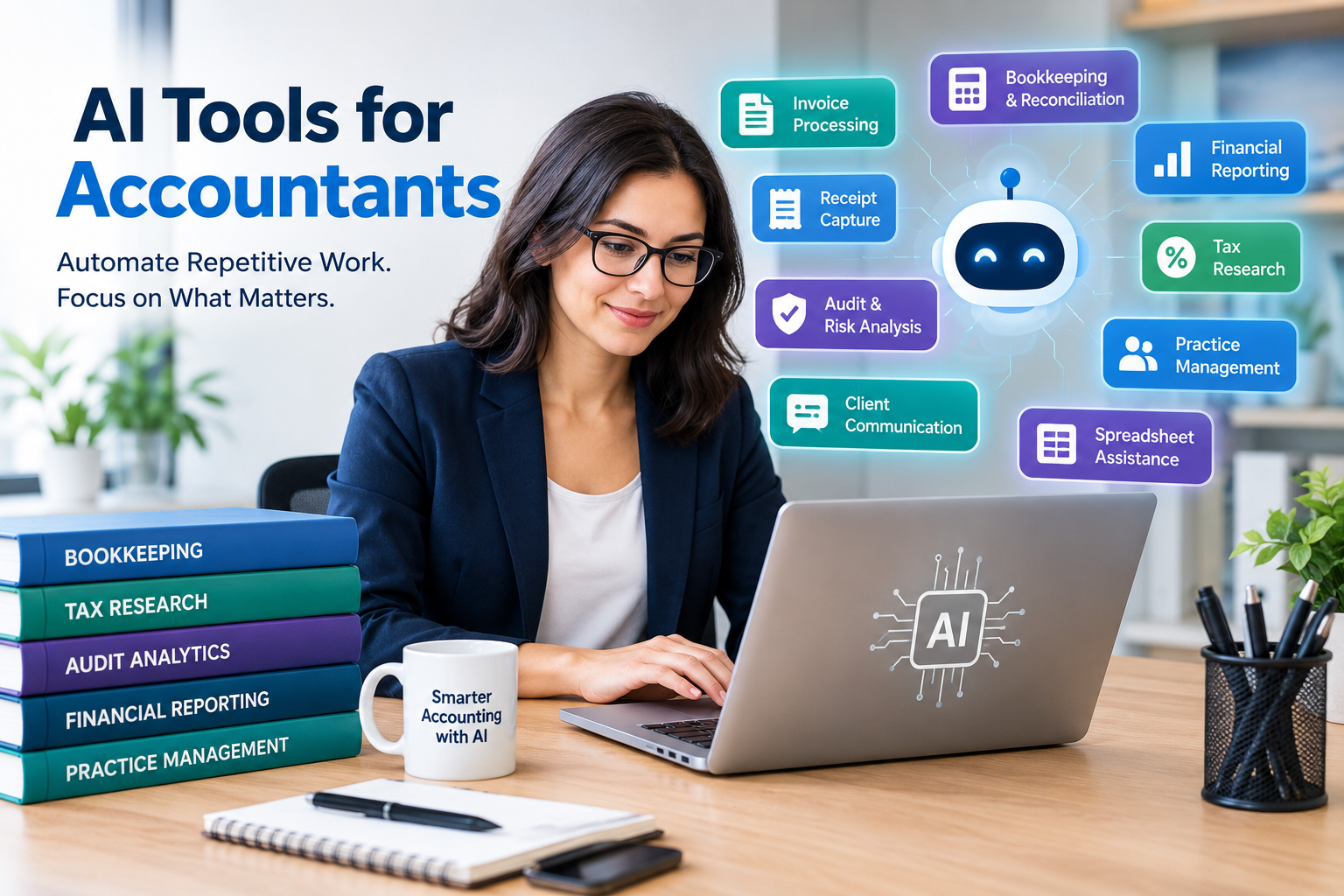
Some of the most useful categories include:
- QuickBooks with AI capabilities for accounting and bookkeeping workflows
- Xero AI features for businesses and firms using Xero
- Dext for receipt, invoice, and document capture
- Vic.ai for accounts payable automation
- Karbon for accounting firm workflow and practice management
- MindBridge for audit analytics and risk identification
- Fathom for financial reporting and business analysis
- Specialized tax AI platforms for tax research
- ChatGPT and Claude for general productivity, writing, research, spreadsheet assistance, and document analysis
The most effective approach isn’t to purchase every AI application available. Instead, identify your firm’s biggest repetitive tasks and introduce AI where it can provide measurable time savings without sacrificing professional oversight.
What Are AI Tools for Accountants?
AI tools for accountants are software applications that use artificial intelligence, machine learning, natural-language processing, automation, or AI agents to assist with accounting and financial workflows.
These tools can perform or assist with activities such as:
- Transaction categorization
- Invoice processing
- Receipt extraction
- Bookkeeping
- Bank reconciliation
- Accounts payable
- Financial reporting
- Audit analysis
- Tax research
- Spreadsheet work
- Client communication
- Document analysis
- Workflow management
- Financial forecasting
Traditional accounting automation typically follows predefined rules.
AI-based systems can go further by recognizing patterns, interpreting documents, generating natural-language responses, identifying anomalies, and adapting recommendations based on historical information.
For example, instead of manually entering information from an invoice, an AI-powered document-processing system may identify the supplier, invoice number, date, amount, tax information, and other relevant fields automatically.
An accountant can then review the extracted information before approving it.
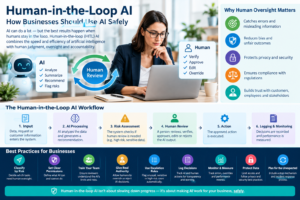
This creates a human-in-the-loop workflow, where AI handles repetitive processing while the accountant remains responsible for important decisions.
Why Are Accountants Using AI?
Accounting involves a significant amount of repetitive and structured work.
Accountants may spend considerable time:
- Entering financial information
- Processing receipts
- Reviewing invoices
- Categorizing transactions
- Matching payments
- Preparing reports
- Sending routine emails
- Searching through documents
- Performing repetitive spreadsheet tasks
- Following up with clients for missing information
AI can reduce the amount of time spent on many of these activities.
The biggest benefit isn’t necessarily eliminating accountants from the process.
Instead, AI can help accountants move from manual processing to exception management and analysis.
For example:
Traditional workflow:
Receive invoice → manually read invoice → enter data → categorize → check → approve → record
AI-assisted workflow:
Receive invoice → AI extracts information → AI suggests coding → system checks information → accountant reviews exceptions → approve
The accountant still has control, but much of the repetitive work has been reduced.
15 Best AI Tools for Accountants in 2026
1. QuickBooks AI — Best for Integrated Accounting Workflows
QuickBooks is one of the most widely used accounting platforms among small businesses and accounting professionals.
Its AI capabilities are increasingly integrated into accounting workflows, making it an important option for accountants already working with QuickBooks.
Potential AI-assisted activities include:
- Transaction categorization
- Accounting insights
- Reconciliation assistance
- Financial analysis
- Invoice-related tasks
- Business insights
- Financial forecasting
- Identifying transactions that may require attention
Why accountants may like it
The biggest advantage is integration.
If your clients already use QuickBooks, keeping AI capabilities within the same ecosystem can reduce the need to move information between multiple applications.
Best for
- Small businesses
- Bookkeepers
- Accounting firms
- Freelance accountants
- QuickBooks-based practices
Potential drawback
Not every AI feature is available to every user. Features can vary according to product, subscription, location, and rollout.
2. Xero AI — Best for Xero Accounting Users
Xero is another major cloud accounting platform that has incorporated AI and automation into its ecosystem.
For accountants who manage Xero-based businesses, its built-in automation can be more convenient than adding another standalone platform.
Potential applications include:
- Transaction processing
- Bank reconciliation
- Financial insights
- Accounting automation
- Reporting
- Cash-flow analysis
Best for
- Xero accounting practices
- Small and medium-sized businesses
- Cloud-based accounting firms
Why consider it?
The main advantage is the connection between AI capabilities and the financial data already stored in the accounting platform.
This can reduce manual exports, imports, and duplicate data entry.
3. Dext — Best for Receipt and Document Processing
Document processing is one of the most repetitive activities in bookkeeping.
Accountants frequently receive:
- Receipts
- Invoices
- Bills
- Expense documents
- Other financial paperwork
Manually entering this information can take a significant amount of time.
Dext focuses on extracting information from financial documents and connecting it with accounting workflows.
Useful for
- Receipt capture
- Invoice processing
- Expense management
- Document organization
- Bookkeeping automation
Best for
Accounting firms that process large numbers of documents from multiple clients.
The main benefit is simple:
Less manual data entry.
4. Vic.ai — Best for Accounts Payable Automation
Accounts payable departments can process hundreds or thousands of invoices.
Manually processing every invoice can become expensive and inefficient.
Vic.ai focuses on AI-powered accounts payable automation.
Potential applications include:
- Invoice processing
- Data extraction
- Invoice coding
- Approval workflows
- Purchase-order matching
- Accounts payable automation
Best for
- Medium-sized businesses
- Large organizations
- Finance departments
- High-volume accounting operations
Small firms with relatively few invoices may not need a specialized AP platform, but organizations processing large invoice volumes may benefit considerably.
5. Karbon — Best for Accounting Firm Management
Accounting firms need more than bookkeeping software.
They also need systems for:
- Client communication
- Team collaboration
- Task management
- Workflow management
- Deadlines
- Recurring processes
- Client onboarding
Karbon combines practice management with automation and AI-oriented capabilities designed for accounting firms.
Best for
- CPA firms
- Bookkeeping businesses
- Growing accounting practices
- Multi-person firms
Why it matters
The future of accounting automation isn’t only about automating financial transactions.
Administrative work can consume a substantial amount of an accountant’s time as well.
Automating client and team workflows can therefore provide significant productivity gains.
6. MindBridge — Best for Audit Analytics
Auditors often need to identify unusual transactions and potential areas of risk.
AI-powered audit analytics can help analyze large populations of transactions and highlight patterns that deserve additional investigation.
Potential applications include:
- Anomaly detection
- Risk identification
- Transaction analysis
- Audit planning
- Data analysis
Best for
- Audit firms
- Internal audit departments
- Large organizations
- High-volume transaction environments
AI doesn’t determine that a transaction is fraudulent simply because it looks unusual.
Instead, it can help auditors identify where human investigation should be focused.
That distinction is extremely important.
7. Fathom — Best for Financial Reporting
Modern accounting firms increasingly offer advisory services in addition to traditional bookkeeping and compliance.
Clients don’t just want financial statements.
They want to know:
- Why did revenue change?
- Why did expenses increase?
- What is affecting profitability?
- How is cash flow changing?
- Which business metrics require attention?
Financial reporting and analysis tools can help accountants transform raw financial information into understandable management reports.
Best for
- Management reporting
- Financial analysis
- KPIs
- Forecasting
- Client reporting
- Advisory services
The opportunity here is to spend less time formatting reports and more time discussing what the numbers mean.
8. Tax AI Tools — Best for Tax Research
Tax research can be time-consuming, particularly when accountants need to examine complicated rules and large amounts of technical information.
AI-powered tax research tools can assist with:
- Searching tax information
- Exploring tax questions
- Summarizing technical material
- Comparing potential interpretations
- Organizing research
However, tax is one area where accountants should be particularly cautious.
AI-generated information should be verified against current authoritative sources before being used for important client decisions.
AI can accelerate research.
It should not eliminate professional responsibility.
9. ChatGPT — Best General-Purpose AI Assistant
General-purpose AI assistants can be extremely useful for accountants when used appropriately.
ChatGPT can assist with tasks such as:
- Drafting client emails
- Creating accounting checklists
- Explaining technical concepts
- Writing standard operating procedures
- Generating spreadsheet formulas
- Summarizing information
- Creating report drafts
- Brainstorming ideas
- Analyzing appropriately prepared data
- Improving written communication
For example, an accountant could ask:
“Explain this accounting concept in simple language that I can use when speaking with a small-business client.”
This is a relatively low-risk productivity use case.
By contrast, asking an AI system to make an unverified final tax or accounting determination for a client is much riskier.
The accountant should remain responsible for reviewing important outputs.
10. Claude — Best for Document and Text Analysis
Claude can be useful for accountants who frequently work with lengthy documents.
Possible applications include:
- Document summarization
- Comparing documents
- Drafting reports
- Reviewing written material
- Creating procedures
- Organizing large amounts of text
- Preparing client-friendly explanations
For accounting firms, document analysis can be particularly useful when employees need to understand lengthy policies, contracts, reports, or internal procedures.
As with every AI platform, firms should understand its data-handling and privacy policies before entering confidential client information.
11. AI Invoice Processing Software
Invoice processing is one of the clearest opportunities for accounting automation.
A modern AI invoice workflow might look like this:
Invoice received
↓
AI reads the document
↓
Information is extracted
↓
Supplier and invoice details are identified
↓
Accounting category is suggested
↓
Duplicate or unusual information is flagged
↓
Invoice is routed for approval
↓
Accountant reviews
↓
Transaction is recorded
This approach can dramatically reduce manual data entry.
When evaluating invoice AI, look for:
- OCR and document recognition
- Line-item extraction
- Duplicate detection
- Approval workflows
- Accounting integrations
- Exception handling
- Audit trails
12. AI Spreadsheet Tools
Spreadsheets remain an important part of accounting despite the growth of dedicated accounting platforms.
Accountants use spreadsheets for:
- Financial analysis
- Forecasting
- Reconciliation
- Budgeting
- Variance analysis
- Data cleanup
- Financial models
AI can help create or troubleshoot spreadsheet formulas and organize data.
For example, you can describe the calculation you need in plain English and ask AI to produce an Excel formula.
But never assume that an AI-generated formula is automatically correct.
Always test formulas using known examples before applying them to important financial data.
13. AI Client Communication Tools
Communication is another area where AI can save accountants time.
Accountants can use AI to create first drafts of:
- Client emails
- Missing-document requests
- Deadline reminders
- Meeting summaries
- Follow-up messages
- Financial explanations
- Internal communications
For example, instead of manually writing the same missing-document email to every client, an accountant can create a reusable AI-assisted template.
The accountant can then personalize and review the final message.
This approach saves time without removing the human relationship.
14. AI Practice Management Software
Accounting firms have recurring processes that are ideal candidates for automation.
Examples include:
- Client onboarding
- Staff assignments
- Deadline reminders
- Recurring bookkeeping tasks
- Document requests
- Client follow-ups
- Workflow tracking
- Meeting summaries
AI-powered practice management can help firms coordinate these activities.
For growing firms, workflow automation can be just as valuable as transaction automation.
A firm that saves five hours every week on administration gains more capacity without necessarily hiring another employee.
15. AI Bookkeeping Platforms
AI bookkeeping platforms attempt to automate parts of the bookkeeping process from transaction categorization through reconciliation and reporting.
Depending on the platform, capabilities may include:
- Transaction classification
- Bank reconciliation
- Financial statement preparation
- Data extraction
- Exception detection
- Bookkeeping automation
The exact capabilities and quality vary considerably between vendors.
Before selecting a platform, evaluate its accounting integrations, pricing, accuracy, support, security, and human-review capabilities.
AI Tools for Accountants by Use Case
The easiest way to choose an AI solution is to start with the problem you want to solve.
| Accounting task | Recommended AI category |
|---|---|
| Bookkeeping | AI accounting platforms |
| Transaction categorization | Accounting-platform AI |
| Receipt processing | Document capture AI |
| Invoice processing | AP automation |
| High-volume AP | Specialized AP platforms |
| Audit analytics | Audit AI |
| Tax research | Tax research AI |
| Financial reporting | Reporting and analytics platforms |
| Spreadsheet assistance | General AI assistants |
| Client emails | General AI and practice-management tools |
| Document analysis | General AI/document AI |
| Firm workflow | Practice-management AI |
| Financial analysis | AI analytics platforms |
This is why there is no single best AI tool for every accountant.
A bookkeeping firm and a large audit organization have completely different requirements.
What Accounting Tasks Can AI Automate?
AI is particularly effective when the task is repetitive, data-driven, and based on recognizable patterns.
Transaction Categorization
AI can learn from previous accounting activity and suggest categories for new transactions.
Invoice Processing
AI can extract information from invoices and prepare it for review.
Receipt Capture
AI-powered document systems can extract information from receipts and expense documents.
Bank Reconciliation
AI can help match transactions and identify potential discrepancies.
Reporting
AI can accelerate report creation and generate first drafts of financial commentary.
Audit Analytics
AI can analyze transactions and identify unusual patterns.
Client Communication
AI can generate drafts of routine emails and explanations.
Research
AI can organize and summarize information.
Spreadsheet Assistance
AI can create formulas, explain calculations, and help organize data.
The common theme is that AI is most valuable when it removes repetitive work while leaving important decisions to qualified professionals.
Can AI Replace Accountants?
One of the biggest questions surrounding accounting AI is whether artificial intelligence will replace accountants.
The more realistic answer is that AI is more likely to change accounting jobs than eliminate the accounting profession.
Accounting requires much more than entering numbers.
Professionals provide:
- Judgment
- Interpretation
- Financial analysis
- Tax strategy
- Client advice
- Professional skepticism
- Ethical decision-making
- Communication
- Business understanding
- Regulatory knowledge
AI can process information extremely quickly, but businesses still need professionals who understand the context behind financial information.
The accountant who learns to use AI effectively may actually become more valuable.
Instead of spending hours preparing a basic report, that accountant can spend more time explaining the report to a client and helping the client make better business decisions.
Benefits of AI Tools for Accountants
1. Save Time
Automating repetitive processes can free accountants to focus on more valuable work.
2. Reduce Manual Data Entry
AI document processing can extract information from invoices, receipts, and other documents.
3. Improve Productivity
Accountants can handle larger workloads without increasing manual labor at the same rate.
4. Identify Anomalies
AI can analyze large quantities of data and highlight transactions that deserve attention.
5. Improve Client Service
Faster reporting and communication can improve the client experience.
6. Scale Accounting Firms
Automation can help firms serve more clients without simply adding more administrative work.
7. Support Advisory Services
Reducing routine bookkeeping can give accountants more time for financial analysis and business consulting.
Risks of Using AI in Accounting
AI also introduces new risks.
Accuracy
AI systems can make mistakes.
A confident-looking answer isn’t necessarily a correct answer.
Privacy
Financial information can be highly sensitive.
Accountants should understand how an AI provider handles submitted data.
Security
Accounting firms need appropriate access controls and security practices.
Compliance
Accounting and tax requirements can change, so AI-generated information should be checked against current authoritative sources.
Lack of Context
AI may not understand important details that a professional accountant knows about a client.
Over-Automation
Not every accounting process should be completely automated.
High-risk decisions should have appropriate human review.
How to Safely Use AI With Client Information
Before introducing AI into an accounting practice, create clear rules about data handling.
Ask the following questions about every AI tool:
Does the provider store submitted data?
Understand how long information is retained.
Is customer data used to train AI models?
Review the provider’s current terms and privacy documentation.
Who can access the information?
Look for appropriate permissions and access controls.
Does the platform provide audit logs?
Auditability can be important for professional workflows.
Can employees use personal AI accounts?
Your firm should establish clear policies rather than leaving this to individual employees.
What information should never be entered?
Define categories of confidential information that require additional protection.
The goal isn’t to avoid AI entirely.
The goal is to use AI responsibly and deliberately.
How to Choose the Best AI Tool for Your Accounting Firm
Before buying software, identify your biggest problem.
For example:
“Our team spends 15 hours each week entering invoice data.”
is much more useful than:
“We need AI.”
Once you’ve identified the problem, evaluate potential tools using the following criteria.
1. Integration
Does the tool connect with the accounting software you already use?
2. Accuracy
How well does it perform on your actual accounting data?
3. Human Review
Can accountants review and approve AI-generated results?
4. Transparency
Can you understand why the system made a particular recommendation?
5. Security
Does the platform provide appropriate security controls?
6. Scalability
Will it still work when your client base or transaction volume increases?
7. Pricing
Calculate the potential return on investment rather than looking only at the monthly subscription price.
8. Support
Consider the quality of customer support and implementation assistance.
How to Calculate the ROI of an AI Accounting Tool
You don’t need complicated financial modeling to estimate whether an AI tool is worthwhile.
Start with:
Hours saved per month × value of an employee’s time = estimated monthly productivity value
For example, suppose an AI system saves an accounting firm 20 hours each month.
If the estimated value of that time is $30 per hour:
20 × $30 = $600 of monthly productivity value
If the software costs $200 per month, the potential gross productivity benefit is:
$600 − $200 = $400 per month
This is only a simplified calculation.
A proper ROI analysis should also consider:
- Implementation time
- Training
- Error rates
- Additional review requirements
- Client capacity
- Revenue generated from freed-up time
How to Implement AI in an Accounting Firm
Don’t attempt to automate everything at once.
A gradual approach is safer and easier to measure.
Step 1: Identify Repetitive Tasks
List activities that consume significant amounts of employee time.
Step 2: Measure the Current Process
Record how long each task currently takes.
Step 3: Select One AI Workflow
Choose the task with the clearest potential benefit.
Step 4: Test It
Run the AI system alongside the existing process.
Step 5: Measure Accuracy
Compare AI results with manually reviewed results.
Step 6: Create Review Procedures
Determine when human approval is required.
Step 7: Train Employees
Teach staff how to use the system and recognize AI errors.
Step 8: Document the Workflow
Create a standard operating procedure.
Step 9: Expand Gradually
Once the first workflow works reliably, move to another repetitive process.
10 Useful AI Prompts for Accountants
General-purpose AI assistants become much more useful when prompts provide clear instructions.
Prompt 1: Client Email
Write a professional and friendly email requesting the missing documents needed to complete this month’s bookkeeping. Keep it concise and organize the requested documents in a bullet list.
Prompt 2: Financial Explanation
Explain this financial report in simple language for a small-business owner who does not have an accounting background. Clearly separate facts from possible explanations.
Prompt 3: Variance Analysis
Analyze these monthly figures and identify the largest changes between the two periods. Do not invent explanations that are not supported by the data.
Prompt 4: Excel Formula
Create an Excel formula that performs the following calculation: [describe calculation]. Explain how the formula works and provide a simple example.
Prompt 5: Standard Operating Procedure
Create a step-by-step SOP for monthly bank reconciliation. Include preparation, reconciliation, exception handling, review, and documentation.
Prompt 6: Meeting Summary
Turn these accounting meeting notes into an action list. Separate tasks assigned to the accountant from tasks assigned to the client.
Prompt 7: Report Commentary
Draft a first-pass management commentary explaining the major revenue and expense changes shown in this report. Do not make assumptions that are not supported by the data.
Prompt 8: Quality Review
Review this document for unclear statements, inconsistent numbers, unsupported assumptions, and missing information. Identify problems without changing the underlying financial figures.
Prompt 9: Client-Friendly Rewrite
Rewrite this technical accounting explanation so a non-accountant can understand it while preserving the original meaning and accuracy.
Prompt 10: Accounting Checklist
Create a checklist for onboarding a new small-business accounting client. Include financial records, banking information, accounting software access, prior-year information, and documents that should be reviewed.
Common Mistakes Accountants Make With AI
Mistake 1: Trusting AI Without Checking It
AI can produce incorrect information that sounds convincing.
Always review important outputs.
Mistake 2: Uploading Confidential Data Without Understanding the Tool
Don’t submit sensitive client information until you’ve reviewed the provider’s data-handling practices.
Mistake 3: Using Too Many AI Applications
More software doesn’t automatically equal greater productivity.
A simple, integrated workflow can be better than ten disconnected tools.
Mistake 4: Automating a Broken Process
If your existing workflow is inefficient, automating it may simply make the inefficient process faster.
Improve the workflow first.
Mistake 5: Removing Human Review
Accounting involves professional judgment.
High-risk processes should maintain appropriate human oversight.
Mistake 6: Ignoring Employee Training
Employees need to know not only how to use AI, but also when not to trust its output.
Mistake 7: Measuring Only Software Cost
The real question isn’t:
“How much does this AI tool cost?”
It’s:
“How much value can this tool create compared with its total cost and risk?”
The Future of AI in Accounting
The next phase of accounting AI is likely to move beyond simple automation toward more connected, agentic workflows.
Instead of asking an AI system to perform one task, accountants may increasingly use systems capable of coordinating multiple steps.
For example:
Invoice received
↓
AI extracts information
↓
AI checks the supplier
↓
AI compares the invoice against historical transactions
↓
AI identifies the likely accounting category
↓
AI checks for duplicates
↓
AI sends the invoice through an approval workflow
↓
Accountant reviews an exception
↓
System records the approved transaction
This type of workflow could significantly reduce the amount of manual intervention required for routine transactions.
However, increased automation also makes governance more important.
As AI systems gain the ability to take actions rather than simply provide suggestions, accounting firms will need clear rules about:
- Permissions
- Approval levels
- Data security
- Audit trails
- Human review
- Error handling
- Accountability
The future isn’t necessarily accounting without accountants.
It is more likely to be accounting with AI-powered workflows and accountants focusing on judgment and decision-making.
Best AI Strategy for Small Accounting Firms
Small accounting firms don’t need an enormous technology stack.
A practical strategy is to begin with three layers.
Layer 1: Your Accounting Platform
Start with the AI and automation already available in your accounting software.
Layer 2: Document Automation
If receipts, bills, and invoices are consuming significant time, introduce document-processing software.
Layer 3: General AI Assistant
Use a general-purpose AI assistant for appropriate tasks such as:
- Writing
- Research
- Documentation
- Spreadsheet assistance
- Brainstorming
- Client communication drafts
Then add specialist tools only when a specific business problem justifies them.
This approach helps prevent technology overload and makes ROI easier to measure.
Frequently Asked Questions About AI Tools for Accountants
What are the best AI tools for accountants?
The best AI tool depends on the task. Accounting-platform AI is useful for bookkeeping workflows, document-capture tools can automate receipt and invoice processing, AP platforms can handle high-volume invoices, audit AI can help identify anomalies, and general AI assistants can support research, writing, spreadsheets, and administrative work.
What is the best AI tool for bookkeeping?
The best option depends on the accounting platform and workflow. Accountants should first evaluate the AI capabilities of their existing accounting software before adding a separate bookkeeping application.
Can AI automate bookkeeping?
Yes. AI can assist with transaction categorization, document extraction, reconciliation, reporting, and other bookkeeping activities. Human review remains important for exceptions and higher-risk decisions.
Can accountants use ChatGPT?
Yes. ChatGPT can assist with appropriate accounting-related tasks such as writing, research, spreadsheet formulas, document summarization, workflow documentation, and client communication drafts. Accountants should avoid treating AI output as automatically authoritative.
Will AI replace accountants?
AI is likely to automate many accounting tasks, but accountants continue to provide professional judgment, interpretation, advice, communication, and oversight. The profession is more likely to evolve than disappear.
Is AI safe for accounting?
AI can be used safely when firms select appropriate platforms, establish data-security policies, control access, understand vendor data practices, and maintain human review over important decisions.
What accounting tasks should be automated first?
Start with repetitive, high-volume, low-risk tasks such as document extraction, routine data entry, transaction categorization, invoice processing, and administrative communications.
How much do AI accounting tools cost?
Pricing varies significantly depending on the software, number of users, transaction volume, features, and subscription plan. Rather than choosing solely based on price, compare the total cost against the time and operational value the tool can provide.
Should small accounting firms use AI?
Yes, provided they choose tools based on specific business problems. Small firms can often benefit significantly from automating repetitive bookkeeping, document processing, communication, and administrative tasks.
Final Verdict: Are AI Tools Worth It for Accountants?
Yes—but the right AI tool is more important than having the most AI tools.
Accountants should begin by identifying repetitive processes that consume valuable time.
For bookkeeping, start with AI capabilities within your accounting platform.
For document-heavy workflows, consider document-capture and invoice-processing tools.
For high-volume accounts payable, specialized AP automation may provide greater value.
For auditing, AI analytics can help identify unusual transactions and areas requiring investigation.
For financial reporting, AI can help transform raw financial information into useful business insights.
For everyday productivity, general-purpose AI assistants can help with writing, research, spreadsheets, documentation, and communication.
The most important principle is simple:
Use AI to automate repetitive work, but keep qualified humans responsible for professional judgment.
The accountants who benefit most from AI won’t necessarily be those who adopt the largest number of tools.
They will be the professionals who identify the right problems, choose appropriate technology, build reliable workflows, verify AI output, protect client information, and use the time saved to provide more valuable services.
AI isn’t simply changing accounting software.
It’s changing how accounting work gets done.