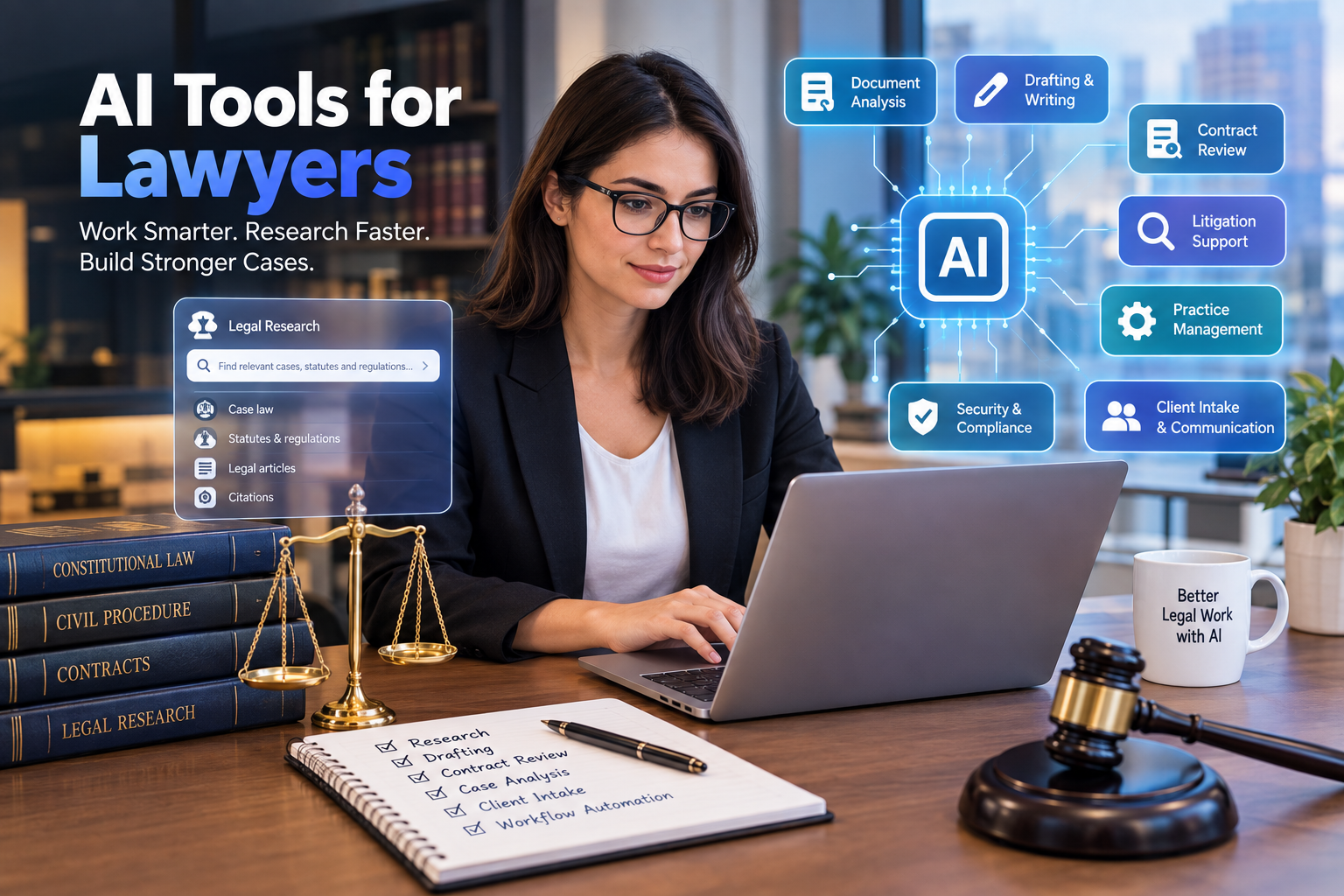
Best AI Tools for Lawyers in 2026: 20 Tools for Legal Research, Drafting & More
Artificial intelligence is changing how lawyers research cases, review contracts, prepare documents, analyze evidence, communicate with clients, and manage legal practices.
But choosing an AI tool for legal work is very different from choosing a normal productivity app.
A lawyer cannot simply ask whether an AI tool writes well. The more important questions are:
- Does it use reliable legal sources?
- Can its citations be verified?
- How does it handle confidential information?
- Does it integrate with the firm’s existing workflow?
- Is it appropriate for the type of legal work being performed?
- Does it save meaningful time without creating additional review work?
- Can lawyers maintain professional judgment and control over the final result?
Those questions matter because a convincing AI answer can still be incomplete, outdated, or wrong.
This guide examines the best AI tools for lawyers in 2026 by actual legal workflow rather than treating every AI platform as interchangeable. It covers legal research, drafting, contract review, litigation, document analysis, client intake, practice management, legal operations, and general-purpose AI.
Quick Answer: What Are the Best AI Tools for Lawyers?
There is no single best AI tool for every lawyer.
The right choice depends on your practice area, firm size, jurisdiction, workload, budget, and security requirements.
Here is a practical starting point:
| Legal Need | AI Tools to Consider | Best For |
|---|---|---|
| Legal research | CoCounsel, Lexis+ with Protégé | Case law and legal research |
| Enterprise legal work | Harvey | Large firms and complex workflows |
| Contract drafting | Spellbook | Lawyers drafting in Microsoft Word |
| Contract review | Legora, Spellbook, specialized contract AI | Review and negotiation |
| General AI assistance | ChatGPT, Claude | Drafting, analysis, brainstorming |
| Legal document analysis | Harvey, CoCounsel, Claude | Long documents and case materials |
| Litigation analysis | Harvey, Lexis+ with Protégé, specialized platforms | Litigation workflows |
| Legal operations | Clio, practice-management AI tools | Firm administration |
| Client intake | AI intake and automation platforms | Lead qualification and intake |
| Workflow automation | Zapier, Make, legal workflow platforms | Repetitive administrative work |
| In-house legal work | Harvey, CoCounsel, Lexis+ with Protégé | Corporate legal teams |
| Legal writing | Claude, ChatGPT, legal-specific AI | First drafts and editing |
The important distinction is between general-purpose AI and legal-specific AI.
General AI is flexible.
Legal-specific AI can provide specialized workflows, legal databases, document tools, or citation-grounded research.
For high-stakes legal work, that distinction matters.
What Are AI Tools for Lawyers?
AI tools for lawyers are software applications that use artificial intelligence to assist with legal tasks.
Depending on the platform, they can help with:
- legal research
- case-law analysis
- contract review
- contract drafting
- document summarization
- due diligence
- litigation preparation
- deposition preparation
- discovery
- legal writing
- client intake
- legal operations
- document management
- knowledge management
- practice management
- client communication
- administrative automation
Some AI tools are built specifically for attorneys.
Others are general-purpose AI assistants that lawyers can adapt to legal workflows.
The distinction is important because legal work requires a higher standard of verification than ordinary business writing.
Why Are Lawyers Using AI?
Legal work contains many tasks that are time-consuming but highly structured.
For example, a lawyer may need to review hundreds of pages of documents to identify:
- important dates
- contractual obligations
- unusual clauses
- potential risks
- relevant communications
- inconsistencies
- defined terms
- evidence related to a specific issue
AI can help organize and summarize that material.
Likewise, legal research often requires lawyers to identify relevant authorities, understand how different cases interact, and prepare a research memorandum.
AI can accelerate portions of that process.
The objective should not be to let AI make the legal decision.
The objective is to let AI help the lawyer get to the decision faster and with better access to information.
20 Best AI Tools for Lawyers in 2026
1. Thomson Reuters CoCounsel — Best for Legal Research and Analysis
CoCounsel is one of the major legal-specific AI platforms for professional legal work.
It is designed around legal research, document analysis, drafting, and other legal workflows.
One of its major advantages is its connection to Thomson Reuters’ legal information ecosystem.
That matters because lawyers need more than a fluent answer.
They need information that can be traced back to authoritative legal material.
CoCounsel can be useful for:
- legal research
- document review
- summarizing legal materials
- drafting
- extracting information
- analyzing case materials
- preparing research work
Best for
Law firms and legal departments that want AI integrated with professional legal research resources.
Important limitation
AI output still needs lawyer review. Legal research should never be treated as complete simply because an AI system produced an answer.
2. Lexis+ with Protégé — Best for LexisNexis Users
Lexis+ with Protégé combines AI capabilities with LexisNexis’ legal research environment.
This makes it particularly interesting for firms that already depend heavily on LexisNexis.
Potential workflows include:
- legal research
- drafting
- document analysis
- legal argument development
- case analysis
- research organization
The major benefit of a legal-specific platform is access to a structured legal information ecosystem rather than relying entirely on a general-purpose language model.
Best for
Lawyers and firms already invested in LexisNexis research.
3. Harvey — Best for Large Firms and Complex Legal Work
Harvey has become one of the most prominent names in legal AI.
It is designed specifically for professional legal workflows and is particularly relevant to large law firms and corporate legal departments.
Harvey can support areas such as:
- legal research
- contract analysis
- due diligence
- drafting
- litigation work
- document analysis
- legal workflows
Its strength is the ability to build AI-assisted workflows around complex professional tasks rather than treating AI as a simple chatbot.
Best for
Large law firms, sophisticated legal departments, and organizations with complex legal workflows.
Potential drawback
Enterprise legal AI platforms may be excessive for a solo attorney who only needs occasional assistance with drafting or research.
4. Spellbook — Best for AI Contract Drafting in Microsoft Word
Spellbook is designed around contract drafting and review.
For transactional lawyers, working directly within Microsoft Word can be a major advantage.
Instead of constantly moving text between a separate AI chatbot and a document, an integrated contract workflow can make AI assistance more practical.
Use cases can include:
- contract drafting
- clause suggestions
- contract review
- redlining
- identifying potential issues
- comparing language
- revising agreements
Best for
Transactional lawyers and legal teams that spend significant time drafting and reviewing contracts in Word.
5. Legora — Best for Large-Scale Legal Workflows
Legora is another legal AI platform aimed at professional legal work.
It is particularly relevant to firms that need AI across larger document-heavy workflows.
Potential applications include:
- contract review
- due diligence
- legal research
- document analysis
- drafting
- large-scale legal workflows
Best for
Mid-sized and large firms looking to build broader AI workflows rather than using AI only for occasional questions.
6. Claude — Best General-Purpose AI for Long Documents
Claude can be useful for lawyers who need to analyze long documents, organize information, or create first drafts.
Lawyers can use it for tasks such as:
- summarizing documents
- comparing documents
- organizing case information
- brainstorming arguments
- preparing outlines
- drafting internal communications
- analyzing large amounts of text
- reviewing non-authoritative materials
The biggest advantage of general-purpose AI is flexibility.
A lawyer can use the same system for many different tasks.
Best for
Lawyers who need flexible assistance with documents, writing, analysis, and internal workflows.
Important limitation
A general-purpose AI model should not automatically be treated as a legal research database.
7. ChatGPT — Best Flexible AI Assistant for Lawyers
ChatGPT can support many legal-adjacent tasks.
For example, lawyers can use it to:
- brainstorm arguments
- summarize documents
- rewrite explanations in plain language
- create first drafts
- prepare interview questions
- generate checklists
- organize research
- analyze spreadsheets
- create meeting summaries
- prepare client communication drafts
- develop legal workflow templates
It is particularly useful as a general productivity assistant.
However, lawyers should distinguish between:
AI-assisted drafting
and
authoritative legal research.
For legal authorities, citations, statutes, regulations, and case law, lawyers should verify the information using appropriate authoritative sources.
8. Clio Duo and AI-Powered Practice Management
Practice management is another area where AI can make a difference.
Platforms such as Clio combine legal practice management with AI-assisted workflows.
The value here is different from legal research.
Instead of asking:
“What does this case mean?”
the AI may help with:
- client communication
- administrative tasks
- matter organization
- scheduling
- workflow management
- practice information
Best for
Small and medium-sized firms looking to combine legal practice management with AI assistance.
9. MyCase AI — Best for Small-Firm Practice Workflows
Small law firms often need something different from a large enterprise legal department.
They may need:
- client management
- scheduling
- document organization
- communications
- billing
- intake
- workflow automation
AI-powered practice management platforms can help bring those activities together.
MyCase is one option worth evaluating for firms that want practice-management functionality alongside AI capabilities.
Best for
Solo lawyers and small firms looking for broader practice-management functionality.
10. Perplexity — Useful for Preliminary Research
Perplexity can be useful for fast information discovery and source-oriented research.
It can help lawyers explore:
- background information
- emerging topics
- general research questions
- industry information
- news
- publicly available material
However, preliminary research is not the same as authoritative legal research.
A lawyer should independently verify important legal claims and sources.
Best for
Initial research and information discovery rather than final legal authority.
11. Ironclad — Best for AI-Assisted Contract Lifecycle Management
Contract management becomes increasingly difficult as an organization accumulates hundreds or thousands of agreements.
AI-powered contract lifecycle platforms can help organizations:
- organize contracts
- identify clauses
- extract information
- monitor obligations
- streamline approvals
- analyze agreements
- manage contract workflows
Ironclad is particularly relevant to corporate legal departments and organizations managing substantial contract volumes.
Best for
In-house legal teams and companies with significant contract operations.
12. Luminance — Best for Contract Review and Due Diligence
Luminance focuses on legal document analysis and contract workflows.
AI can assist with identifying important clauses, reviewing documents, and supporting due-diligence processes.
This type of technology can be especially valuable when lawyers need to examine large numbers of agreements.
Best for
Corporate transactions, due diligence, and document-heavy legal teams.
13. Relativity aiR — Best for AI-Assisted Discovery
Discovery can involve enormous quantities of information.
AI can help legal teams organize and analyze large collections of documents.
Relativity’s AI capabilities are relevant to workflows such as:
- eDiscovery
- document review
- information analysis
- investigations
- litigation support
Best for
Litigation teams handling large document collections.
14. Everlaw — Best for Litigation and eDiscovery Workflows
Everlaw provides tools for litigation and investigations, including document analysis and review workflows.
AI-assisted features can help legal teams work through large document sets more efficiently.
Best for
Litigation teams, investigations, and organizations managing complex discovery.
15. Lex Machina — Best for Litigation Analytics
Litigation strategy can benefit from structured historical information.
Legal analytics platforms can help attorneys analyze patterns such as:
- judges
- courts
- opposing counsel
- case outcomes
- litigation behavior
- patent disputes
- damages
- timelines
Lex Machina is particularly associated with litigation analytics.
Best for
Litigators who want data-driven insight into courts, judges, parties, and litigation patterns.
16. vLex — Best for Global Legal Research
Law firms working across jurisdictions may need broader legal information coverage.
vLex provides legal research capabilities across multiple jurisdictions and legal sources.
This can be particularly useful for:
- international firms
- cross-border matters
- comparative research
- multinational businesses
Best for
Lawyers handling international or multi-jurisdictional matters.
17. AI Client Intake Tools — Best for Lead Qualification
Client intake is another area where automation can reduce administrative work.
An AI-powered intake system can potentially:
- collect basic information
- ask predefined questions
- identify matter type
- qualify leads
- schedule consultations
- route inquiries
- update CRM or practice-management systems
For consumer-facing firms, this can be especially valuable because lawyers may receive large volumes of inquiries.
Best for
Personal injury, family law, immigration, estate planning, and other high-volume practices.
18. AI Legal Document Automation — Best for Repetitive Documents
Many legal practices repeatedly create similar documents.
Examples include:
- engagement letters
- demand letters
- standard contracts
- discovery requests
- client questionnaires
- correspondence
- internal forms
Document automation tools can combine templates with structured information to reduce repetitive drafting.
Best for
Firms with standardized, repeatable document workflows.
19. AI Meeting and Transcription Tools — Best for Client Meetings
Lawyers spend significant amounts of time in:
- client meetings
- interviews
- internal meetings
- depositions
- conferences
- strategy sessions
AI transcription tools can convert conversations into searchable notes and summaries.
A lawyer can then use the transcript to create:
- follow-up tasks
- meeting summaries
- case notes
- client emails
- internal memos
Best for
Lawyers who have frequent meetings and interviews.
Important consideration
Always understand applicable recording, consent, privacy, and confidentiality requirements before using transcription tools.
20. AI Workflow Automation Tools — Best for Legal Operations
Tools such as Zapier and Make can connect applications and automate administrative processes.
For example:
New client inquiry → intake form → CRM → notification → consultation scheduling
Or:
Meeting transcript → summary → task creation → client follow-up
Or:
Completed matter → document archive → billing notification → client communication
The AI itself is only part of the equation.
The bigger benefit comes from connecting AI to the rest of the firm’s workflow.
Best AI Tools for Lawyers by Use Case
The easiest way to choose legal AI is to start with the job rather than the brand.
| Legal Workflow | Tools to Consider |
|---|---|
| Legal research | CoCounsel, Lexis+ with Protégé, vLex |
| General research | ChatGPT, Claude, Perplexity |
| Legal drafting | Harvey, CoCounsel, Claude, ChatGPT |
| Contract drafting | Spellbook |
| Contract review | Spellbook, Legora, Luminance |
| Due diligence | Harvey, Legora, Luminance |
| Litigation analytics | Lex Machina |
| eDiscovery | Relativity aiR, Everlaw |
| Practice management | Clio, MyCase |
| Client intake | Legal intake and automation platforms |
| Document automation | Legal document automation platforms |
| Meeting notes | AI transcription tools |
| Workflow automation | Zapier, Make |
| International research | vLex |
| Large-firm AI | Harvey, CoCounsel, Lexis+ with Protégé |
AI Tools for Solo Lawyers
A solo lawyer does not necessarily need an expensive enterprise legal AI platform.
A practical solo-lawyer AI stack might include:
General AI Assistant
Use a secure business-grade AI assistant for:
- brainstorming
- document organization
- writing
- summaries
- administrative tasks
Legal Research Platform
Use a professional legal research service for authoritative case law and statutes.
Practice Management
Use software that manages:
- matters
- contacts
- calendars
- documents
- billing
- client communication
Document Automation
Automate repetitive forms and standard documents.
Intake Automation
Automatically collect basic information from potential clients.
The goal is to reduce administrative overhead while keeping substantive legal judgment with the attorney.
AI Tools for Small Law Firms
Small firms should prioritize integration.
Instead of buying five separate AI products, ask:
Can our existing legal software already perform this task?
For example, if your practice-management platform has AI capabilities, it may be better to use those features than to introduce another disconnected application.
A good small-firm AI stack should minimize:
- duplicate data entry
- disconnected systems
- manual reporting
- repetitive document creation
- unnecessary subscriptions
AI Tools for Large Law Firms
Large firms have different requirements.
They may need:
- enterprise security
- single sign-on
- permissions
- audit logs
- document management integration
- knowledge management
- large-scale document analysis
- legal research
- workflow automation
- customized AI agents
- centralized governance
Platforms such as Harvey, CoCounsel, Lexis+ with Protégé, and other enterprise legal AI systems are designed for this type of environment.
Large firms may also build internal AI infrastructure when data control and customization justify the investment.
What Can AI Automate for Lawyers?
AI can assist with many repetitive legal tasks.
Legal Research
AI can help:
- formulate research questions
- identify relevant issues
- summarize cases
- organize authorities
- compare legal arguments
- identify research gaps
But important authorities should be checked against authoritative sources.
Contract Review
AI can help identify:
- unusual clauses
- missing provisions
- inconsistent definitions
- obligations
- renewal terms
- termination rights
- liability provisions
- risk areas
Document Summarization
AI can summarize:
- contracts
- pleadings
- deposition transcripts
- correspondence
- discovery material
- policies
- business documents
Legal Drafting
AI can help prepare first drafts of:
- letters
- memos
- clauses
- contracts
- summaries
- internal communications
- client explanations
The lawyer remains responsible for reviewing and adapting the final document.
Client Communication
AI can help turn technical legal information into clearer language.
For example, an attorney can create a client-friendly explanation of a complex procedural issue.
Can AI Replace Lawyers?
No responsible legal AI strategy should be built around the assumption that lawyers can simply be removed from the workflow.
AI can perform useful work.
But legal practice involves:
- judgment
- strategy
- advocacy
- ethics
- negotiation
- client relationships
- professional responsibility
- interpretation
- fact evaluation
- risk assessment
These responsibilities cannot simply be delegated to a chatbot.
The better question is:
Which parts of legal work should AI assist with, and which decisions must remain under lawyer control?
That distinction is becoming increasingly important as legal AI becomes more capable.
The Biggest Risk: AI Hallucinations
One of the most serious problems with using general-purpose AI for legal work is hallucination.
An AI system may generate:
- nonexistent cases
- incorrect citations
- inaccurate quotations
- incorrect dates
- incomplete legal rules
- misleading summaries
The writing can sound completely convincing.
That makes hallucinations particularly dangerous.
The Golden Rule
Never rely on an AI-generated legal authority without independently verifying it.
Check:
- case name
- citation
- court
- date
- quoted language
- procedural history
- current status
- applicable jurisdiction
For important legal work, the original authority should be the source of truth.
Confidentiality and Privilege: What Lawyers Need to Consider
Confidentiality is one of the most important considerations when selecting an AI tool.
Before uploading client information, lawyers should understand:
- where the data is stored
- whether inputs are used for model training
- retention policies
- encryption
- access controls
- administrator permissions
- deletion policies
- vendor terms
- integrations
- data residency
- contractual protections
Never assume that because a product is marketed to professionals, every plan has identical privacy protections.
The exact product tier and contractual terms matter.
Should Lawyers Use ChatGPT for Confidential Client Information?
Lawyers should not automatically assume that a consumer AI account is appropriate for privileged or confidential information.
Before entering client material, review the specific product’s:
- data controls
- retention policy
- training policy
- enterprise terms
- security documentation
Where confidential information is involved, firms should establish approved tools and procedures.
A law firm’s AI policy should clearly explain what employees can and cannot put into AI systems.
How to Create an AI Policy for a Law Firm
A basic AI policy should answer six questions.
1. Which AI Tools Are Approved?
Create a list of approved platforms.
2. What Information Can Be Entered?
Define categories such as:
- public information
- internal information
- confidential information
- privileged client information
3. Who Reviews AI Output?
Define human review requirements.
4. How Are Citations Verified?
Require verification of legal authorities.
5. Who Can Use AI?
Set user permissions.
6. How Is AI Use Documented?
For certain matters, firms may want records of when and how AI was used.
How to Choose the Best AI Tool for Your Law Firm
Use this seven-step process.
Step 1: Identify the Problem
Do not start with:
“Which AI tool is best?”
Start with:
“What legal workflow is costing us the most time?”
Step 2: Measure the Current Process
Record:
- hours spent
- number of documents
- number of employees involved
- revision time
- error rates
- turnaround time
Step 3: Define the AI Task
For example:
“Reduce first-pass contract review time.”
This is better than:
“Use AI for contracts.”
Step 4: Evaluate Security
Review:
- data handling
- encryption
- access controls
- retention
- training policies
- contractual protections
Step 5: Test With Realistic Workflows
Run a controlled pilot.
Do not evaluate a legal AI tool using only simple demonstrations.
Test it with realistic documents and questions.
Step 6: Measure Results
Track:
- time saved
- accuracy
- correction rate
- user adoption
- client impact
- cost
Step 7: Expand Carefully
If the pilot works, expand the workflow.
Do not deploy AI across the entire firm overnight.
How to Calculate the ROI of Legal AI
Suppose a lawyer spends 20 hours per month reviewing routine documents.
If AI reduces the initial review workload by 30%, that represents:
20 × 30% = 6 hours saved
If the firm’s internal value of those six hours is $100 per hour:
6 × $100 = $600 of monthly value
But time savings are only part of the ROI.
Also consider:
- faster client service
- greater matter capacity
- fewer administrative tasks
- reduced outsourcing
- improved consistency
- faster turnaround
- better knowledge management
The best AI investment is usually the one that solves a high-volume workflow.
Common Mistakes Lawyers Make With AI
Mistake 1: Treating AI as a Legal Authority
AI output is not automatically authoritative.
Verify the source.
Mistake 2: Using Consumer Tools for Sensitive Data
Confidential information requires careful consideration of security and contractual terms.
Mistake 3: Accepting Citations Without Verification
A citation that looks legitimate can still be wrong.
Mistake 4: Automating High-Risk Decisions
AI should assist professional judgment rather than silently replace it.
Mistake 5: Buying AI Before Identifying the Workflow
A tool without a defined use case often becomes an expensive subscription.
Mistake 6: Ignoring Training
Employees need to understand:
- prompting
- verification
- confidentiality
- AI limitations
- approved tools
- professional responsibility
Mistake 7: Assuming Bigger Models Are Always Better
A general AI model with impressive writing ability may not be the best tool for legal research.
The right question is:
Does the system fit the legal task?
General AI vs Legal-Specific AI
This is one of the most important distinctions for lawyers.
| Feature | General AI | Legal-Specific AI |
|---|---|---|
| Flexible writing | Excellent | Good to excellent |
| Brainstorming | Excellent | Excellent |
| General summarization | Excellent | Excellent |
| Legal database integration | Usually limited | Often strong |
| Citation grounding | Varies | Often stronger |
| Contract workflows | Varies | Often strong |
| Legal research | Requires verification | Designed for legal research |
| Specialized workflows | Limited | Strong |
| Cost | Often lower | Often higher |
| Best use | General productivity | Professional legal workflows |
The answer is not necessarily to choose one.
Many firms can use both.
For example:
General AI → brainstorming and drafting
Legal AI → research and authority verification
Practice-management AI → client and firm operations
That can create a much stronger workflow than relying on one platform for ever